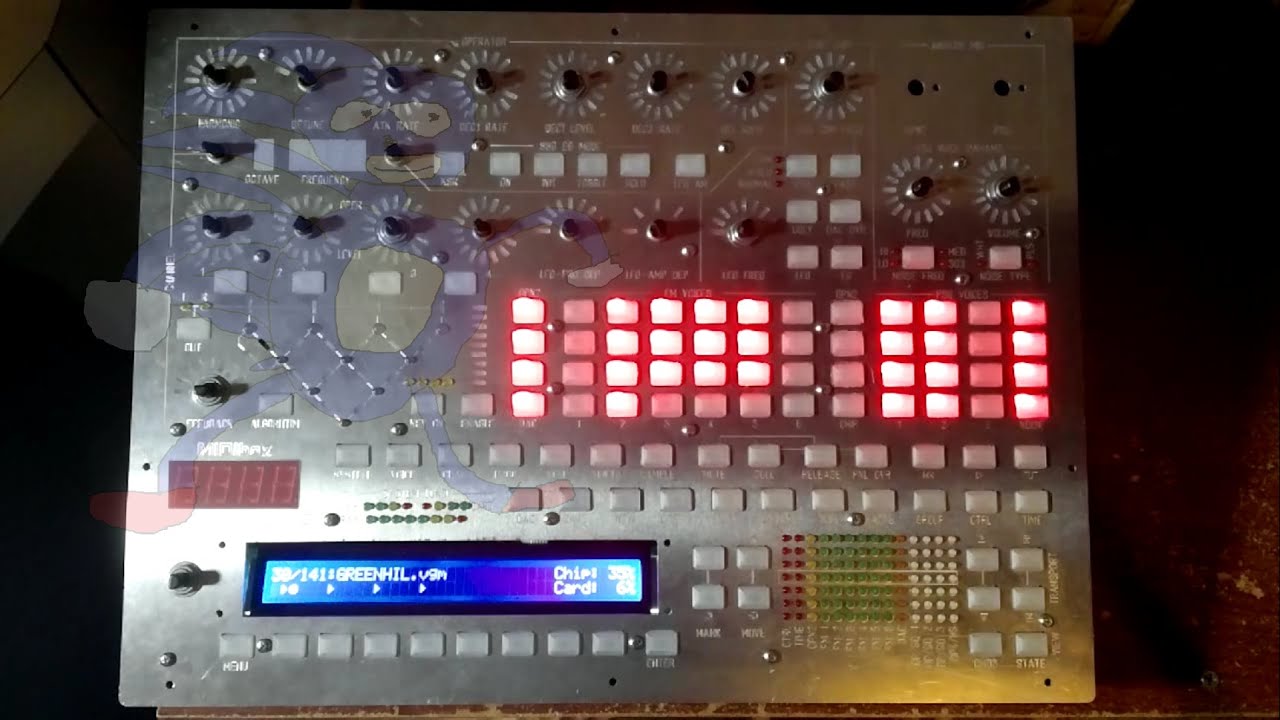
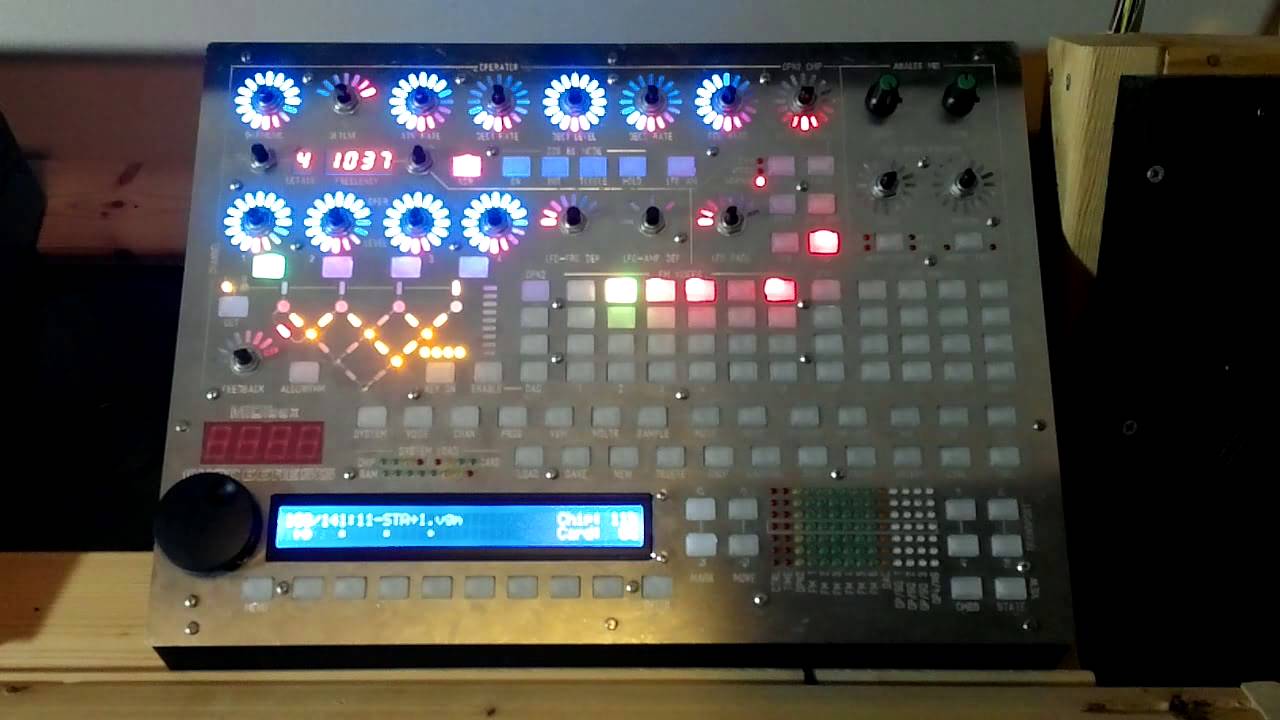
MIDIbox Quad Genesis

Thanks everyone! As I said before, more information and first versions of complete code for the simple applications should be coming out in about a month.

On 2/22/2016 at 0:27 PM, Hawkeye said:

This must be one of the most flashy MIDIboxes evar! :slight_smile:

Nah, that award goes to Ander’s Station controller. I won’t ever be able to top that.

< base_url >/topic/14318-midibox-of-the-week-station-midi-controller-by-ander/?do=embed


1 Like


MIDIbox Quad Genesis Unit 01 (the second one) is mostly completed, there’s a couple minor issues with the front panel that I’m ignoring for now, but it’s working fine for testing VGM-related things.

I’ve converted the VGM playback code I used in the test application into a proper module driver, and I’m in the process of making it more powerful and adding features to it so that it can be the basis of all three MIDIbox Genesis projects. I’ve changed some of the data structures around and have moved all the SD card reading off the sound chip ISR to a separate thread. Very soon I should be implementing the advanced task switching algorithm TK and I have been discussing, enabling even higher performance out of the VGM playback engine. I can’t promise anything quite yet, but I hope to have a video within a week or so of streaming several VGM files at once, one to each of the MBHP_Genesis boards.

In conjunction with that, I’m working with what will be MIDIbox VGM Player. So that those who are curious can get started on hardware, it consists of:

  • MBHP_CORE_STM32F4 with SD card
  • No MIDI I/O required (besides that necessary to upload code, i.e. USB MIDI)
  • One or more MBHP_Genesis modules attached to the core via MBHP_Genesis_LS level shifter
  • 2x16 or larger character LCD
  • Mini “front panel”, consisting of one 74HC165 connected to DIN with the following connected to it:
    • 0: encoder A
    • 1: encoder B
    • 2: button “Enter”
    • 3: button “Menu/Back”
    • 4: button “Softkey 1”
    • 5: button “Softkey 2”
    • 6: button “Softkey 3”
    • 7: button “Softkey 4”

It’ll just play VGM files in the root directory of the SD card, with some options. Assuming I get this working, it will support playing multiple VGM files at the same time on multiple boards if you have them connected.

MIDIbox Quad Genesis Unit 01 (the second one) is mostly completed, there’s a couple minor issues with the front panel that I’m ignoring for now, but it’s working fine for testing VGM-related things.

I’ve converted the VGM playback code I used in the test application into a proper module driver, and I’m in the process of making it more powerful and adding features to it so that it can be the basis of all three MIDIbox Genesis projects. I’ve changed some of the data structures around and have moved all the SD card reading off the sound chip ISR to a separate thread. Very soon I should be implementing the advanced task switching algorithm TK and I have been discussing, enabling even higher performance out of the VGM playback engine. I can’t promise anything quite yet, but I hope to have a video within a week or so of streaming several VGM files at once, one to each of the MBHP_Genesis boards.

In conjunction with that, I’m working with what will be MIDIbox VGM Player. So that those who are curious can get started on hardware, it consists of:

  • MBHP_CORE_STM32F4 with SD card
  • No MIDI I/O required (besides that necessary to upload code, i.e. USB MIDI)
  • One or more MBHP_Genesis modules attached to the core via MBHP_Genesis_LS level shifter
  • 2x16 or larger character LCD
  • Mini “front panel”, consisting of one 74HC165 connected to DIN with the following connected to it:
    • 0: encoder A
    • 1: encoder B
    • 2: button “Enter”
    • 3: button “Menu/Back”
    • 4: button “Softkey 1”
    • 5: button “Softkey 2”
    • 6: button “Softkey 3”
    • 7: button “Softkey 4”

It’ll just play VGM files in the root directory of the SD card, with some options. Assuming I get this working, it will support playing multiple VGM files at the same time on multiple boards if you have them connected.

Four VGM files at the same time:


Very well done. VGM support is huge, not just for playback of existing game files but also for new arrangements  composed on cross platform tools like Deflemask and VGM Music Maker. And Yes one could use flash carts for VGMs on original consoles but the functionality you’ve added is very useful even now with your first release :slight_smile:

Yogi

New demo video! The front panel draws the state of the currently selected OPN2 or PSG voice. This is really just a test of the front panel API. (And a cool song!)


Nice demo, the FP is so awesome (and the song is great too). It’s amazing work you’re doing, very exciting.

Yogi 

Fantastic stuff. Also really enjoying watching the updates of this coming together (especially so quickly)!

 Your leviathan control surfaces are really awesome =)

Thanks everyone! Now I’m getting down to programming the actual functional modes.

Regarding MIDIbox Genesis Tracker, the idea was that it would be a GENMDM-compatible backend that you could stream MIDI commands into to play the sound chips (like the GENMDM cartridge for the actual Genesis). The code for this is actually written and partially tested. However, I actually don’t know anything about Genesis trackers and other PC software, so I don’t know what software would be used to play into GENMDM or MIDIbox Genesis Tracker. I also don’t know where to find GENMDM-compatible MIDI files that I could play into the synth. Anyone know about this?

 Juce API www.juce.org is really nice about handling MIDI. Maybe with  http://www.vgmusic.com/ you could find your midi files?
Regards,
JK

11 hours ago, Sauraen said:

Thanks everyone! Now I’m getting down to programming the actual functional modes.

Regarding MIDIbox Genesis Tracker, the idea was that it would be a GENMDM-compatible backend that you could stream MIDI commands into to play the sound chips (like the GENMDM cartridge for the actual Genesis). The code for this is actually written and partially tested. However, I actually don’t know anything about Genesis trackers and other PC software, so I don’t know what software would be used to play into GENMDM or MIDIbox Genesis Tracker. I also don’t know where to find GENMDM-compatible MIDI files that I could play into the synth. Anyone know about this?

For Littlescales’ GenMDM the best cross platform tool would be Aly James’ FMDrive VST, though not a tracker it could be used with any DAW, such as Renoise, or as a standalone GUI. It simplifies the use and creation of instruments and with multiple instances may support a number of YMs. FMDrive is for just the YM chip but there is also a PSG VST that could be used alongside it for full Saga support.

http://www.alyjameslab.com/alyjameslabfmdrive.html

  The downside is it is Win only, but works under Wine I think. He has a Controller only version that doesn’t load the synth engine, which would be great for the MB Quad Genesis. He may be open to the idea of expanding support, time permitting. 

Also Littlescale has a set of Max4Live patches supporting the GenMDM for Ableton Live users. They look pretty useful but I don’t have Live so…

As to other tools, most current Sega trackers like Deflemask, will output a native ROM or a VGM file but not direct control via midi. There are of course native sound engines and tools for building ROMs but little use here.

Yogi


On 5/9/2016 at 7:29 AM, Psykhaze said:

 Juce API www.juce.org is really nice about handling MIDI. Maybe with  http://www.vgmusic.com/ you could find your midi files?
Regards,
JK

Oh, I know all about JUCE, and I used to be an arranger for vgmusic. But all the MIDI files I’ve seen there are intended for playback on computer MIDI synths (MSGS Wavetable SW Synth), not on custom hardware. A GenMDM-compatible MIDI would completely not work or sound terrible on a normal MIDI synth, and vice versa.

19 hours ago, yogi said:

For Littlescales’ GenMDM the best cross platform tool would be Aly James’ FMDrive VST, though not a tracker it could be used with any DAW, such as Renoise, or as a standalone GUI. It simplifies the use and creation of instruments and with multiple instances may support a number of YMs. FMDrive is for just the YM chip but there is also a PSG VST that could be used alongside it for full Saga support.

http://www.alyjameslab.com/alyjameslabfmdrive.html

  The downside is it is Win only, but works under Wine I think. He has a Controller only version that doesn’t load the synth engine, which would be great for the MB Quad Genesis. He may be open to the idea of expanding support, time permitting. 

Also Littlescale has a set of Max4Live patches supporting the GenMDM for Ableton Live users. They look pretty useful but I don’t have Live so…

As to other tools, most current Sega trackers like Deflemask, will output a native ROM or a VGM file but not direct control via midi. There are of course native sound engines and tools for building ROMs but little use here.

Yogi


I knew about this VST, though I didn’t know it was GenMDM compatible. I’m more looking for a set of MIDI files that use this standard, so I can play them into the synth and make sure all the commands are working. The GenMDM spec isn’t exactly clear on a few points. Maybe I should contact Aly James or Littlescale directly?

Littlescale may be a little hard to get ahold of but his facebook page is most likely. I sent Aly an email inviting him into this thread. I had talked with him a long while ago about a simular (arduino base board) subject; at that time he was interested but busy with other projects. He does have a wealth of ref material on alyjameslab.com in the DL section. 

http://www.alyjameslab.com/download.html#collapseOne

I’ll see if I can find a GenMDM test file for you, do you have Ableton Max4live? Other DAW?

yogi

That would be great, if you can get me in contact with either of them privately also.

I use REAPER, sorry no Ableton/Max.

From looking at the docs it seems that GenMDM was buggy and never fully supported… ouch. My implementation may end up varying in small details in order to be more consistent/correct. Also, since I’ve been part of the effort to fully reverse-engineer the YM2612, I’ve become a bit of a snob about emulation accuracy, especially since some of the undocumented features are used in MIDIbox Quad Genesis. It looks like Aly has a handle on some of these features, e.g. CSM mode, but I’m not sure whether to trust his implementation of SSG illegal modes or the test bits.

Both Tom and Aly had been active over at Chipmusic.org in the past but for diffierent reasons both have been silient for a while. I’ll help anyway I can and Aly is a good guy but busy, building a boutique pedal and VSTi shop.

I agree that emus are limited compared to actual HW, sometimes in major ways. Choices have to be made based on what is known and what can be done by softs. The GenMDM interface does kind of suffer from this in a reverse way, I think,  because of the limits of the YM info when Tom started the design. There were some updates based on Aly’s suggestions as newer info came to light over at Spritesmind, but improvements slowed/stopped as outside issues clouded development. So with the GenMDM project being basically dead and limited by the 8 bit AVR, I tend to look at it as a starting point and not a definitive solution. 

As I understand, FMDrive supports flexible midi IO mapping, so midi output CCs can be reassigned as needed.  Of course this wouldn’t help if there are errors with how the GUI handles a controller’s value…

yogi    

You probably already have this but it’s the last release changes from LS

http://little-scale.com/GENMDM/GENMDM_103/GENMDM_103.txt 

It all depends on if people start using MIDIbox Genesis Tracker with FMDrive–if they do, I’m sure we’ll get bug reports that things don’t sound the same, and then go from there.

I do have that file, that’s what I based the implementation on. It still has issues (CC 92+93 are assigned to two different things, not to mention the whole velocity problem), but there’s also one major thing I couldn’t figure out. For a parameter that’s let’s say 4 bits, does it use the lower 4 bits of the CC value or the upper 4 bits? If the lower ones, does the range clamp or repeat? I have it set up now with a macro that can be defined either way, but I will obviously need it to be the right way for a MIDI to work.


3 hours ago, Sauraen said:

It all depends on if people start using MIDIbox Genesis Tracker with FMDrive–if they do, I’m sure we’ll get bug reports that things don’t sound the same, and then go from there.

I do have that file, that’s what I based the implementation on. It still has issues (CC 92+93 are assigned to two different things, not to mention the whole velocity problem), but there’s also one major thing I couldn’t figure out. For a parameter that’s let’s say 4 bits, does it use the lower 4 bits of the CC value or the upper 4 bits? If the lower ones, does the range clamp or repeat? I have it set up now with a macro that can be defined either way, but I will obviously need it to be the right way for a MIDI to work.

I don’t know if this will help, here is the Arduino code for another LS project, the Sega Master Sys Midi. Though it’s apples to oranges, the void doCC() function does illustrate how LS handled the different bit ranges of CC values.

SMSM_100_Arduino_MIDI_IN.ino

SMSM_100_MIDI_Mapping.txt  

Here he is moving CC 23, modulator mul, into shadow[0x00]'s lower nibble from the CC’s higher 4 bits (bit6- bit3)

case 23: // mul (m) shadow[0x00] = (shadow[0x00] & B11110000) | (ccvalue \>\> 3); writeYM2413(0x00, shadow[0x00]); break;

And here doing the same for CC 24, carrier mul into shadow[0x01]

 case 24: // mul (c) shadow[0x01] = (shadow[0x01] & B11110000) | (ccvalue \>\> 3); writeYM2413(0x01, shadow[0x01]); break;

So for both these, the 4bit values are scaled across the full 7bit CC value range. Again this doesn’t mean that he followed the same style with the GenMDM code but…

yogi

Okay, that answers that question, thanks! I don’t know how you dug this up, but that’s very helpful.

On 5/13/2016 at 9:10 AM, Sauraen said:

Okay, that answers that question, thanks! I don’t know how you dug this up, but that’s very helpful.

Cool, glad it helps. Yea lots of Little Scale’s projects are buried on his lengthy blog. Most are open source except for the GenMDM.

yogi