I’m sorry for the wait, some of you would not believe it.
But. Here we are!
You will find on thewiki all the “Cartridge” completed.
Some of you will find their nickname in the bulk order list.
If you still wish it, complete the options if not erase your line.
And I will calculate final price for each one of you asap.
I’m probably a bit nostalgic for a time I played the game console in the living room of my parent.
Need electronic sounds that have traumatized my childhood.
The Atari 2600.
I started this project 5 years ago. The first prototype I built was too big and too expensive to manufacture and not programmed into MIOS:
A friend of mine recently reminded me that I had promised to make one for him(another nostalgic).
So I resumed work in late 2010, after checking that no one already did.
The first question was whether I was able to program it into MIOS.
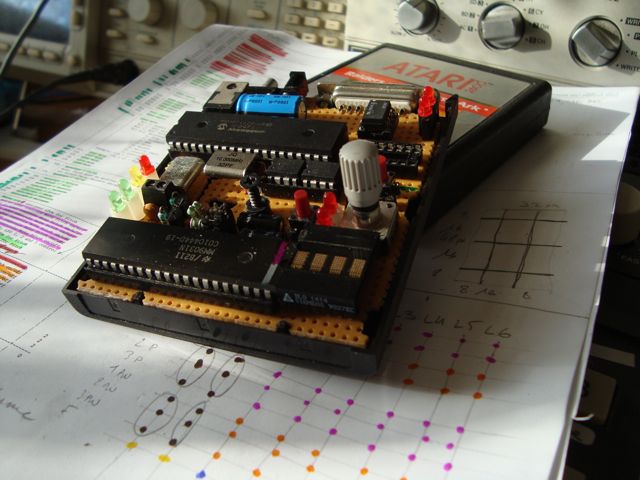
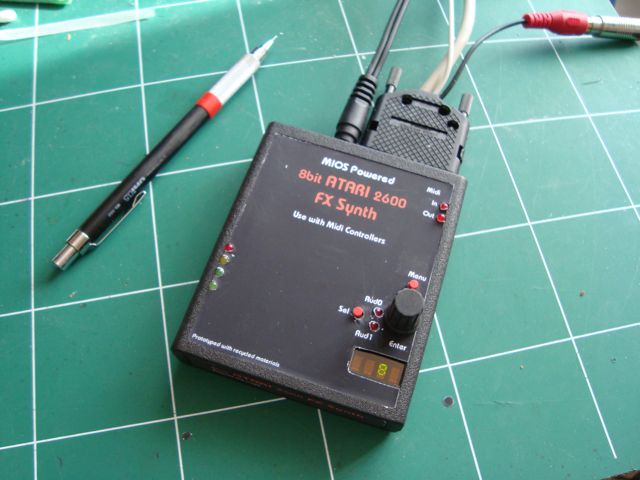
I tried and succeeded. Then I searched for housing. Why not in a game cartridge of the era!!!
So i try it too. AND it fits in the box.
Just apply @ TK. to gain access to the restricted and hidden dungeons of the MIDIbox forums, where all the creepy figures hang out (aka the Programmers Lounge). There you can apply for SVN access and finally commit your code to be appreciated by the future generations of MIDIboxers
What organization! What team! If my staff had been as good as you, the company I worked for would never closed…
I’m very proud to be officially a midibox programmer. Thank you.
I’m the king of the world… :queen: hihi …Seriously It makes me really happy.
I hope you will appreciate my work too.
That’s actually not a promotion, just something you have to ask for to prevent loads of “spam” in the programming section - just a note in case some programmers feel left out
Your project is very near and dear to my heart, Thank you for such a fine project. Your presentation on the wiki is top notch, especially like the MB TIA Manager. This def goes on my ‘bucket list’!!
I wanted to clean it before publishing, and file it in SVN. But I have not had time.
… No matter
This first version compiles two setup.
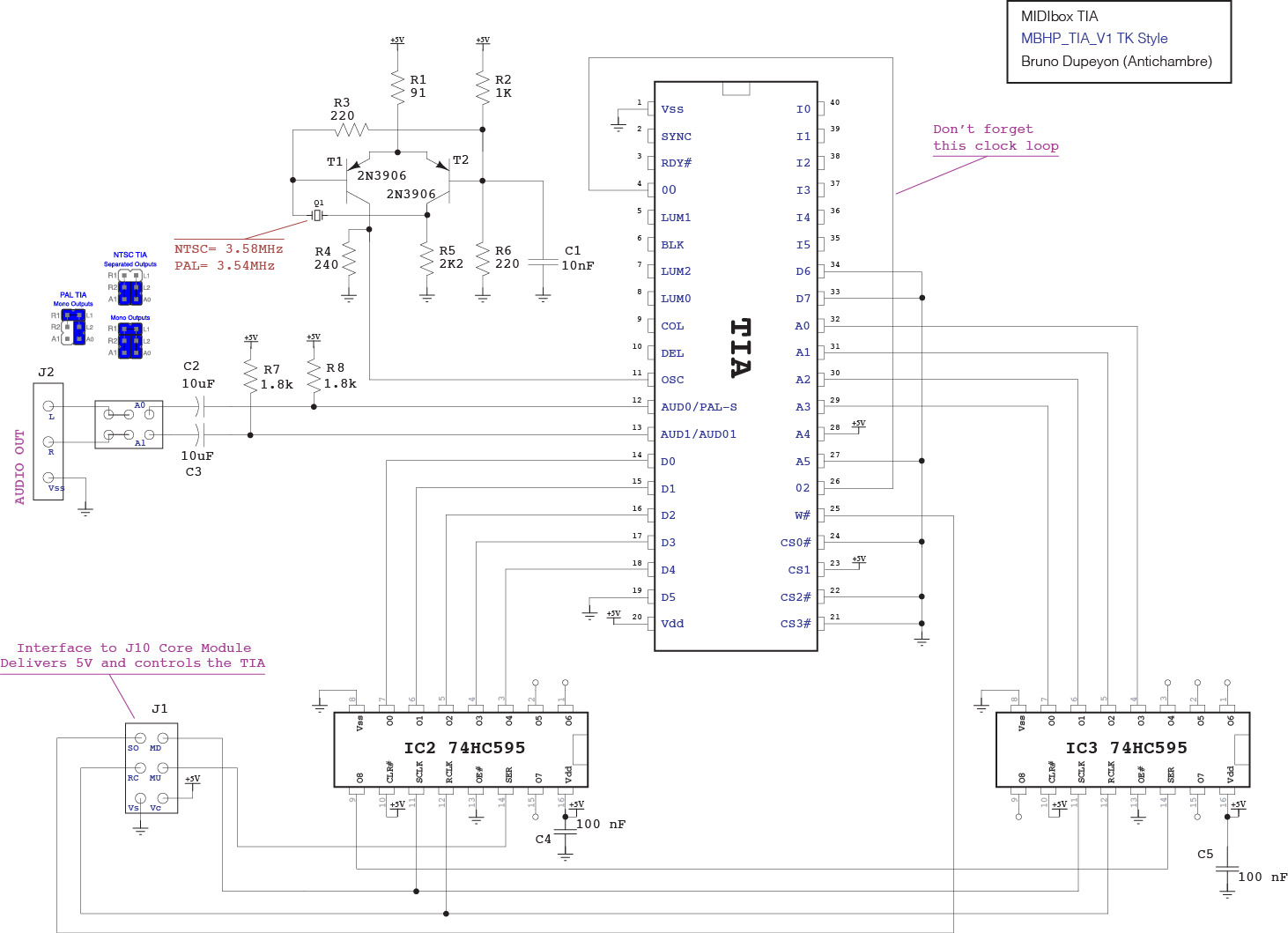
One for the base version, for wiki schematics(TK style).
One for the cartridge version.
Now on the wiki : Firmware v1
There’s extra tools too for testing your board, interconnection and testtone!
You can control it by midi. see midi table in doc folder.
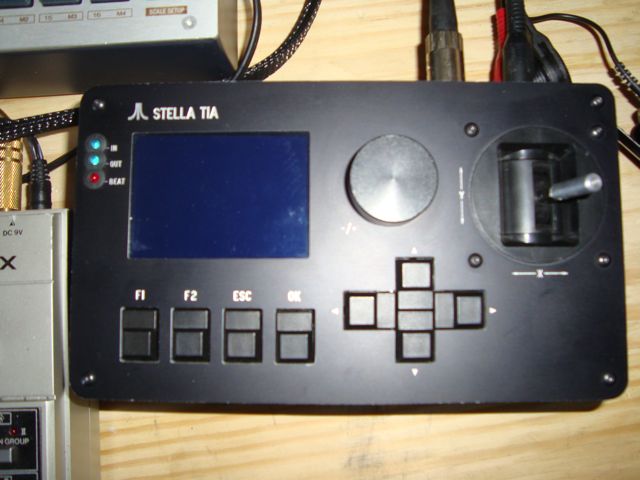
But it will be much easier and more intuitive with the MAX Manager
There’s inside an mxf file to open with Max Runtime (PC and MAC user)
and the same manager in app for Mac user only.
This part is on my google drive cause it’s too big for the wiki media manager.
Here : Manager
connect and switch on the mb-tia before launch the manager it will scan your midi interface and find the box
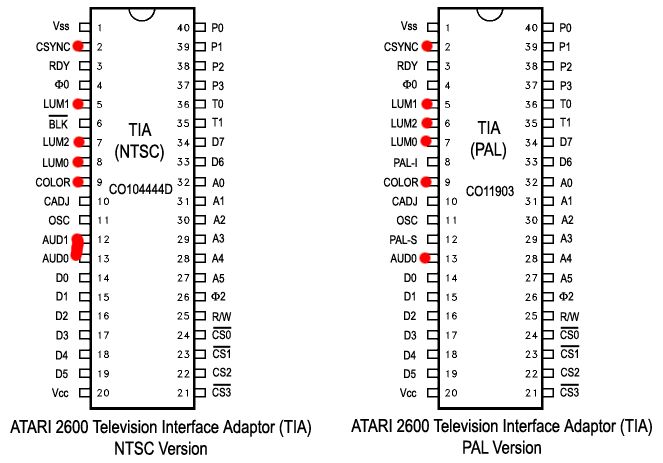
Hey man! Just wondered if someone could clear up for me whats going on with J2 (Audio Out) on the schematic…
I having problems with the interface that is connected after the 10uf caps (C2 C3), where does the A1 and A0 come from? Is it the TIA A0 and A0 pins (31,32)? Or is it just to help understand the 3 configurations for the different TIA chips?
So if I have and PAL TIA I should connect all the pins like the configuration (in blue) and take the outputs from the white (R2, A1)
 (aka the Programmers Lounge). There you can apply for SVN access and finally commit your code to be appreciated by the future generations of MIDIboxers