ok…it seems that the basics parameters will be useful ,by example the volume cc:7 mod cc :1…i will make a list soon ..
What we want is controllers that will do more-or-less the same thing in the Lead, Bassline, and SuperPoly engines (the Drum engine is a maybe not such an obvious contender for CC control), so my vote is for
Main Volume
Osc. 1/2/3 Wavform
Filter Cutoff
Filter Res
Filter Type
Filter Env. Depth
Filter Env. Decay
Portamento On/Off
Portamento Time
As the basics.
a|x
the Drum engine is a maybe not such an obvious contender for CC control
You don’t play drums very often do you?
I’d think that things like env (attack times especially), LFO rates, PWM width, and WT params would be handy…
Perhaps a CC to select which voice you are controlling with the other CCs?
You don’t play drums very often do you?
I love drums, it’s just that I thought tweaking the same parameter on several different sounds might not work very well.
a|x
True that!
Perhaps a CC to select which voice you are controlling with the other CCs?
Such a CC is already available - we call it NRPN
However, I implemented some useful CCs for the Lead Engine in RC28:
This is the Logic8 environment I used for testing:
Best Regards, Thorsten.
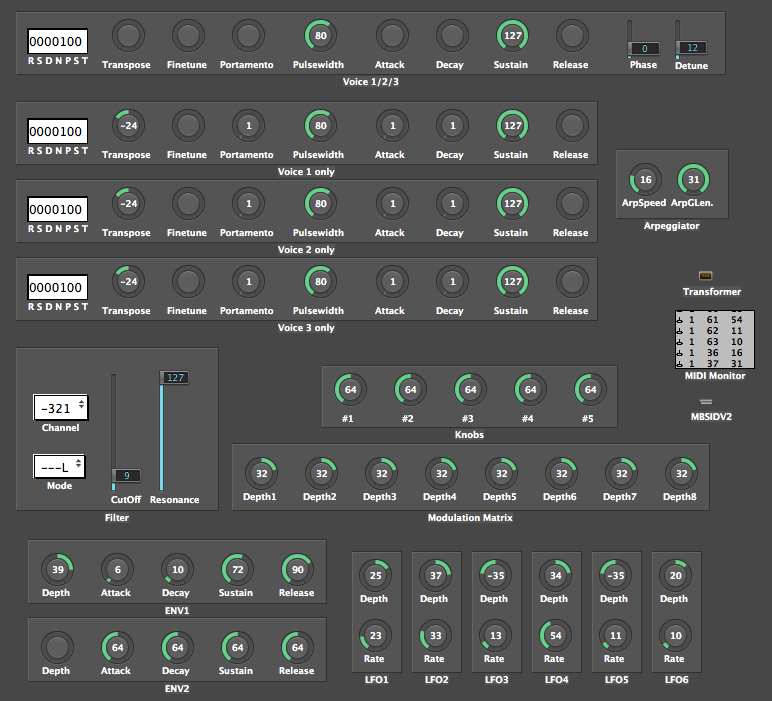
hahahahaha nice one 
That environment looks nice too.. gotta love logic
Thanks ,TK SUPER WORK … 8) i will try the news cc,tomorrow…hum Best regards Boops
hi not try yet…
Great work TK!
Any thoughts on implementing CCs for the other engines? I was thinking it would be cool to have similar controls across the different engines share the same CCs, wherever possible- so, for example, filter Cuttoff and Resonance would use CC#4 and 5 on the Lead, Bassline and SuperPoly engines. This would make producing editing templates for the controls easier and more intuitive.
What do you think?
a|x
Sorry, this is probably an RTFM case, but any tips on how to get hold of the version of the SID app with CC support and getting it uploaded into a Core PIC?
a|x
http://www.midibox.org/forum/index.php/topic,9457.0.html
http://www.ucapps.de/midibox_sid_manual_in.html
Search for “Updating Firmware to a new Version”
Best Regards, Thorsten.
Ah, solved. Sorry for wasting your time.
a|x
Great work on the CC implementation TK! I've just been experimenting with it, and attempting to setup a template on my Novation XStation controller.

Voice 1/2/3 Waveform                        |  0-15: val |
    |    |  Bit 0: Triangle                            |            |
    |    |  Bit 1: Saw                                |            |
    |    |  Bit 2: Pulse                              |            |
    |    |  Bit 3: Noise (disables all other waveforms)|            |
    |    |  Bit 4: Disable Voice                      |            |
    |    |  Bit 5: Sync                                |            |
    |    |  Bit 6: Ringmodulator                      |            |
    |    | Example: 02h = 2 = Saw                      |            |
    |    | Example: 05h = 5 = Triangle & Pulse          |            |
    |    | Example: 21h = 33 = Triangle & Sync
I must admit to being a bit confused as to how to control the parameter above (and a few others that work in a similar way) from a MIDI controller, though. Unless I’m completely misinterpreting, there doesn’t seem to be a sane way to setup a knob or incrementing button type control to send out the appropriate data. Wouldn’t it be easier just to divide the 0 > 127 range into (in this case) 7 regions, so that a value of 0 would give a Triangle wave, 18 would give a Saw wave, etc. That way, it would be possible to setup a control with an appropriate increment step (if it was a button), or if it was a slider or rotary control, just have to have it switch waveforms in a logical way so that at one end of the control’s movement, you’d get the first option, and at the other extreme, you’d get the last option. Or is this already possible, and I’m missing something obvious?
Cheers,
a|x
7 Regions wouldn’t allow you to select multiple waveforms…
7 Regions wouldn’t allow you to select multiple waveforms…
Ah, true. Hmmmm.. I guess there’s no way to make this work in a logical way with my controller, in that case. I guess the best way to do it would be with 7 separate buttons. Unfortunately, the XStation doesn’t have enough buttons for that.
a|x
HI all,after first try of the V2.0_rc28 today .. ???.it seems the control via cc not working..my try is with a EDIROL sl 25 and a P3..a simple cc "7 who works perfectly on a jd 990 or a clavia..give me no result (only cc)on my mb sid with upgrad…where my mistake(s) ? i use only lead engine patch…
7 bits is a standard?..Best regards
yes, it seems that volume CC is not mapped!!!
But all the remaining CCs should work - can you confirm this???
Best Regards, Thorsten.
Hi,i comfirm…the first CC numbers work (no cc 7) i will follow a deeper try soon…thanks TK .Best regards
Hi,i 've tried lots of cc tonight…good work..example:change the waveform of vco…cc 20 and play with value 0-15…i 've created amazing patterns…portamento works fine too…TK, is the value 0 on the rate(intensity) is for Portamento on/off? not as usual for me,i’ve used the FIP (Filter Interpolation) a good tool… others news soon Cheers