hi
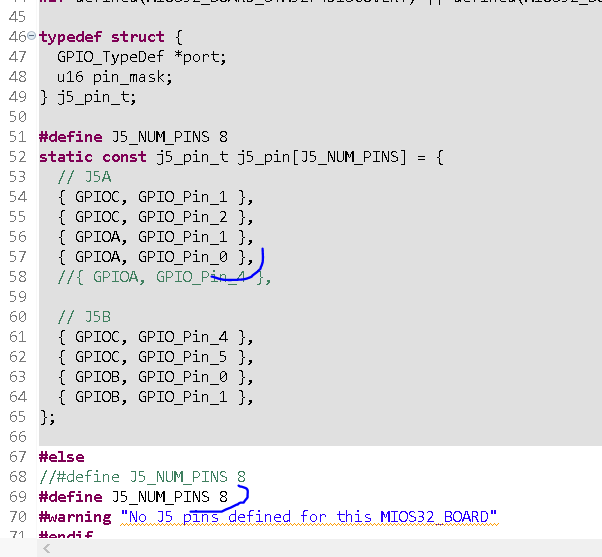
i used J5 for LED Indication, and one User-Button, see this: MSQ-CC-BCR
i used this code for Initialisation:
void APP\_Init(void){ // LED: initialize J5A pin1-3 & J5B pin0-3 as outputs in Push-Pull Mode int pin; for(pin=1; pin\<8; ++pin) {MIOS32\_BOARD\_J5\_PinInit(pin, MIOS32\_BOARD\_PIN\_MODE\_OUTPUT\_PP);} int a; for(a=1; a\<8; a++) { MIOS32\_BOARD\_J5\_PinSet(a, 0);} //Turn off all LEDs // MOMENTARY-BUTTON initialize pin 0 of J5A, as Digital input with internal Pull-Up MIOS32\_BOARD\_J5\_PinInit(0, MIOS32\_BOARD\_PIN\_MODE\_INPUT\_PU); }
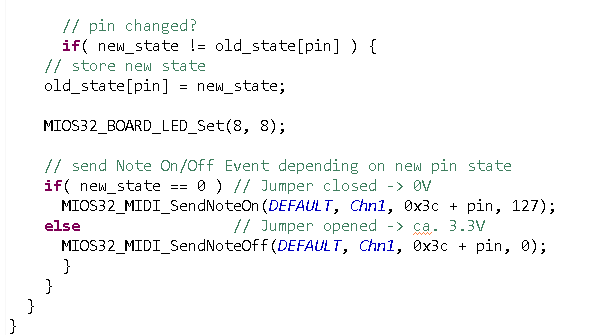
as exemple - in app background, for reading the J5 States:
void APP\_Background(void){// Set Bet Structure without LCD but with PIN 1 of J5A static rythm = 0; // initalized once // check J5 pin 0 for changes static s16 count = 0; if ( MIOS32\_BOARD\_J5\_PinGet(0) == 0 ) { count = 500; } if ( count != 0) { count--; } if ( count == 1 ){ rythm\_count++; // count thru switch ( rythm\_count ) { case 1: rythm = 3;break; case 2: rythm = 4;break; case 3: rythm = 5;break; case 4: rythm = 6;break; case 5: rythm = 7;break; case 6: rythm = 9;break; case 7: rythm = 11; break; default: rythm = 13; break; } } }
if you want to Activate a J5 with the variable rythm_count from above (switch thru the LEDs), put it also in APP_Background for example
for( x=1; x\<8; x++) { MIOS32\_BOARD\_J5\_PinSet(x, 0);}// Turn off all LEDs switch ( rythm ) { case 3: MIOS32\_BOARD\_J5\_PinSet(1, 1); break; // Turn on one LED - Indicate rythmset case 4: MIOS32\_BOARD\_J5\_PinSet(2, 1); break; case 5: MIOS32\_BOARD\_J5\_PinSet(3, 1); break; case 7: MIOS32\_BOARD\_J5\_PinSet(4, 1); break; case 9: MIOS32\_BOARD\_J5\_PinSet(5, 1); break; case 11: MIOS32\_BOARD\_J5\_PinSet(6, 1); break; case 13: MIOS32\_BOARD\_J5\_PinSet(7, 1); break;} break;
i am still unsure what you mean with USER-Button, if you mean one of the onboard buttons, i cant help you… stil i dont see a need to use them to initalize the J5 GPIO… i would do this in APP_Init hardcodet, or with a other DIN… however thats it from my side.