Special characters in Label

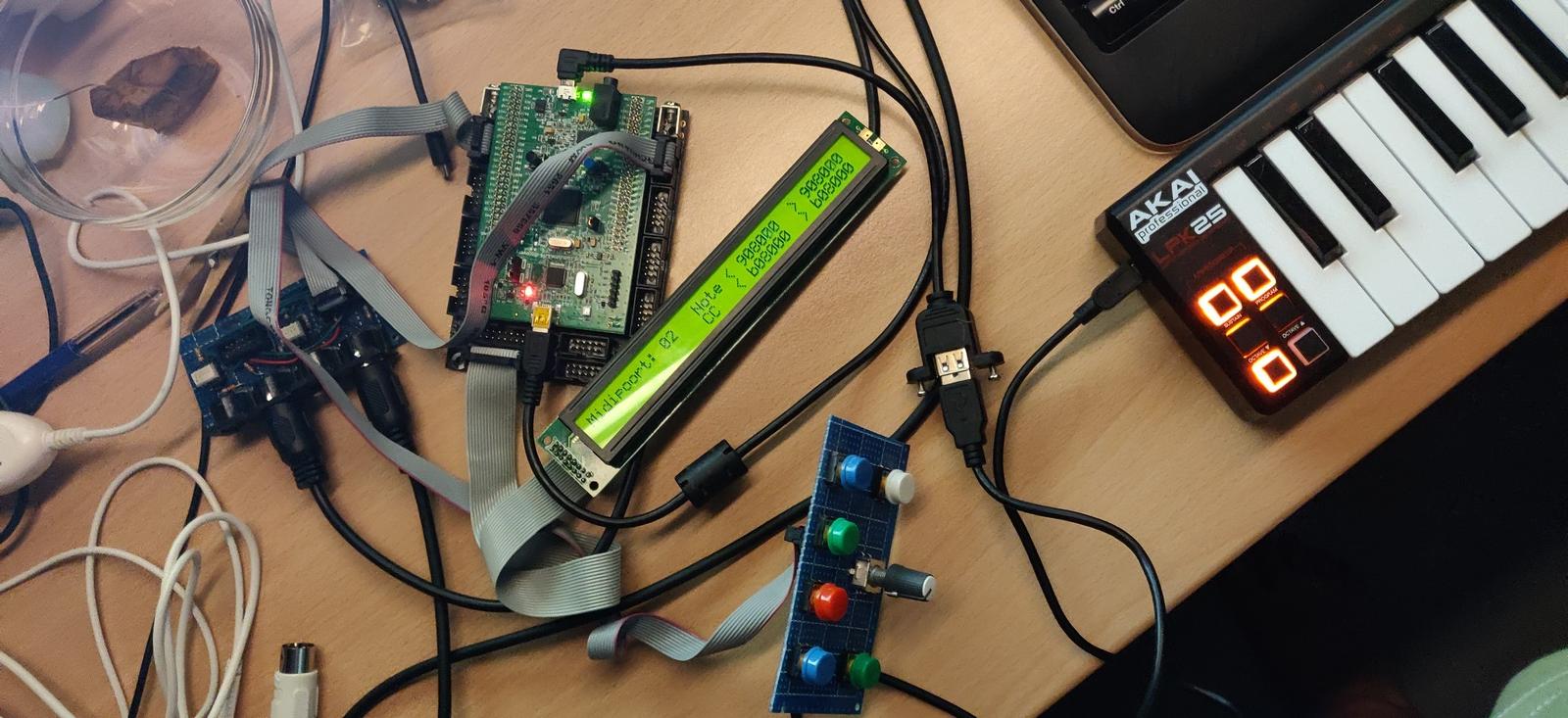
Hi all, my first NG-project is alive :wink: I build a switchable USB to 4 DIN midi port router. Al from parts I have laying around. After a evening digging this forum and trying, it just works. Now I can control my Volca’s with a single USB midi keyboard (hurray).

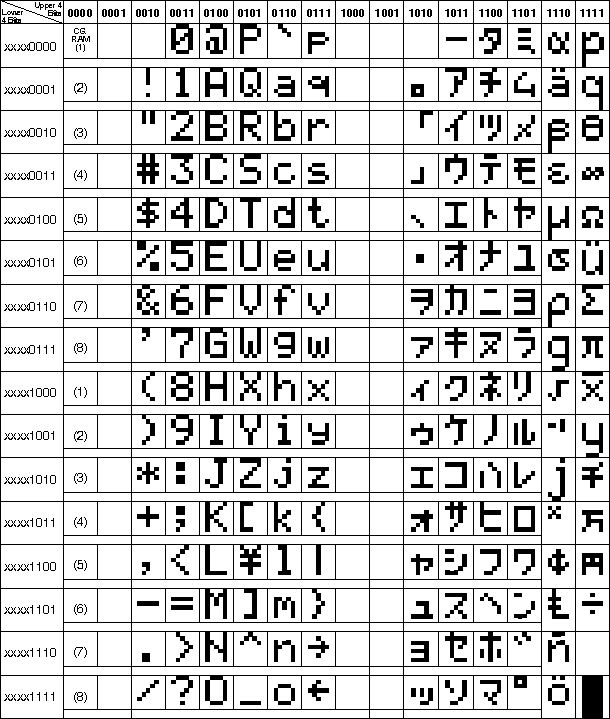
I don’t get one thing: How do I get special characters on the display??

For example in the next line I like to have a arrow instead off the >-sign (or the solid >)

EVENT\_SENDER  id=1   if\_equal=Button:1:1  fwd\_to\_lcd=1  type=NoteOn chn=1   key=any  lcd\_pos=1:32:1  label="\> %e"  ports=00001000000000000000 [17:36]

Is this possible with NG?


Cheers,

Kees

Hi,

I don’t think the built in fonts have special characters available.


I remember reading a thread about creating you’re own custom fonts, but it involved recompiling the MB_NG firmware.


Search the forum, you light be lucky


Thomas


Edit: I found it! it was in the wiki page:

http://wiki.midibox.org/doku.php?id=how_to_create_custom_glcd_fonts_icons_bars_for_midibox_ng


Hi,
What he wants is to print arrow for example, from the built-in char set.

With MIOS function it’s very easy, using Char Print and code number.
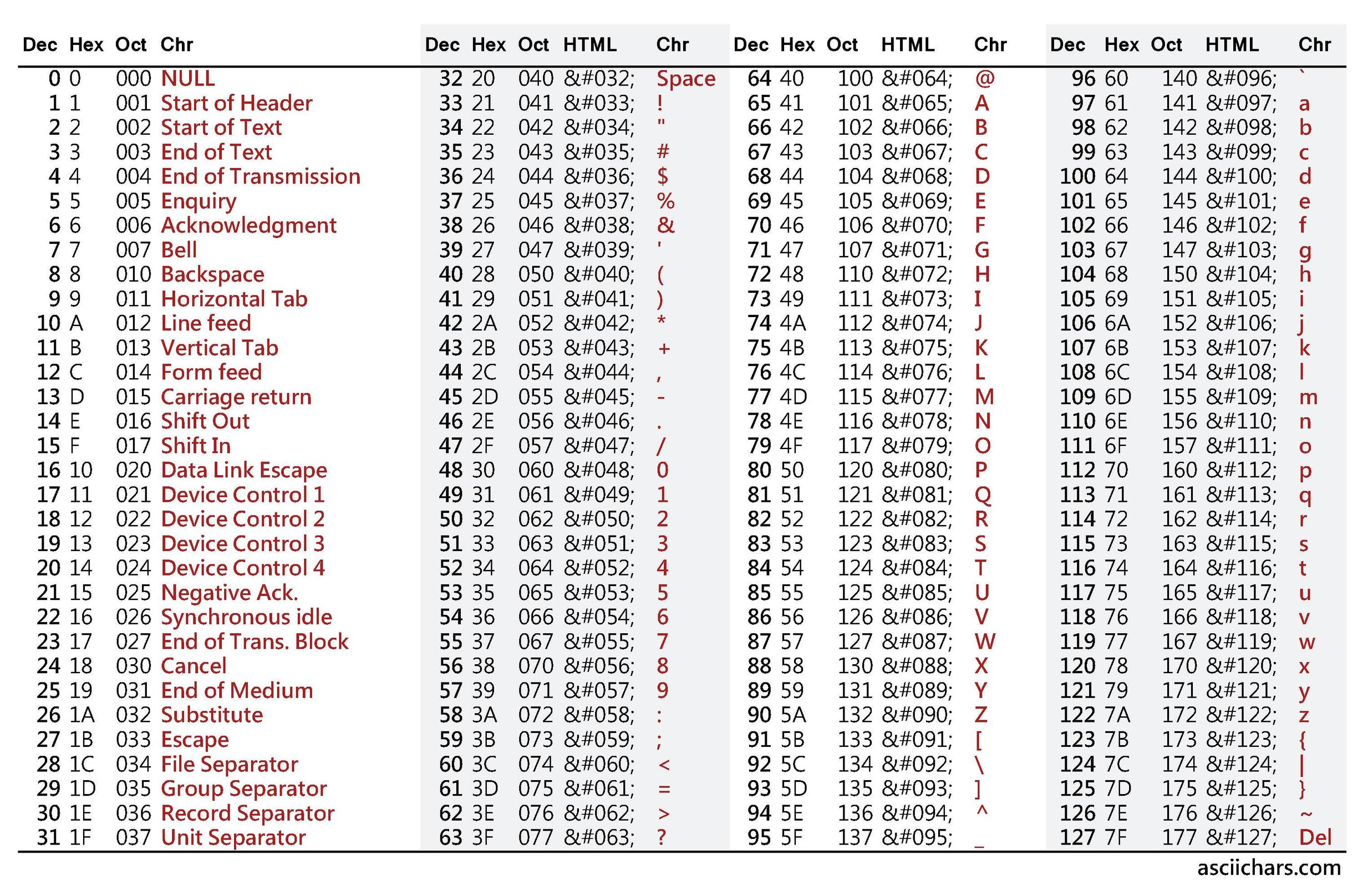
With NG it seems only string are possible. But according to the C ascii table.

the ‘left arrow’ code 0x7e is “~”, so using:

label="~ %e"

works. But for the ‘right arrow’ the ascii code 0x7f correspond to DEL, which is not usable in a string.

Is there a way to print a label using ascii code instead of string in NG?

Best regards

1 Like

Using - and >?

1 Like

On 12-9-2020 at 10:59 AM, totoRaymond said:


Edit: I found it! it was in the wiki page:

http://wiki.midibox.org/doku.php?id=how_to_create_custom_glcd_fonts_icons_bars_for_midibox_ng


Thanks Thomas, but I already found that page. As @antichambre stated, I only want to use interrnal characters. There must be a simple way to achieve this I hoped (without having to us 2 character postions like ->).

Cheers

Kees

Well, there’s nothing in the doc about using ASCII code with MidiBox NG, so i’m not sure you can do that.

Unfortunately my STM32F4 board fried last time i plugged it (messy wiring) so i can’t try anything right now.

Sorry I couldn’t help,


Thomas