Modul Box NG V2

Hello,

I am currently thinking about a version 2 of my modulbox circuits

V1:

<___base_url___>/blogs/entry/286-modulbox/?tab=comments&do=embed&comment=181&embedComment=181&embedDo=findComment#comment-181


the objectives are:

Have the circuits manufactured by a professional (for example: https://jlcpcb.com/)..)
Have the fronts made by a professional.
-Be able to more easily share the circuits created with the community

The design rules remain the same:
circuits of 50 x 100 mm or 100 x 100 mm max

For the potentiometers I used: RK09L1140A2U ( https://www.mouser.fr/ProductDetail/Alps-Alpine/RK09L1140A2U?qs=6EGMNY9ZYDShe59Bf8g9AA%3D%3D )
paid 0.70 euros each at the time, they cost 2.80 euros today,
I’m thinking of replacing them with RK09D1130C1B ( Access to this page has been denied. )
they are cheaper.

Do you recommend another model / brand?

I’m thinking of trying to make a footprint that accepts several kinds of potentiometers. it’s possible ? does it already exist? (I work with kicad)

(for caps: https://www.mouser.fr/ProductDetail/Eagle-Plastic-Devices/450-4760?qs=J4wJDGtbthoFgTzq4MR8dw%3D%3D))

For the faders I used: RA6020F-10-15F2-B10K ( https://www.mouser.fr/ProductDetail/Alpha-Taiwan/RA6020F-10-15F2-B10K?qs=6TczTpqoAMVgxoAgFDSJ8A%3D%3D )
It may not be the best choice.

Do you recommend another model / brand?


For the push buttons I used: MEC 3FTH9 https://www.reichelt.de/fr/fr/bouton-multimec-sans-clairage-connecteur-circuit-imprim–taster-3fth9-p156904.html?GROUPID= 7587&SHOW=1&OFFSET=16&&r=1

Do you recommend another model / brand?


It also remains to update the standard control surface:


I’m also thinking about possibly making a 4 x 2 sparkfun pads with RGB led ( https://www.sparkfun.com/products/7836 )

I still have a lot of work.

Anyone interested in this project? People who would like to help me or simply control my work?

or do you have any advice or suggestions?

Thanks

control hardware yes, if it is well documentadet on the wiki (shematic, board screenshot)

I too work with kicad since decades… and very sucessfull now with my actual projects - i was wondering but i planed it in kicad, and most off the boards where working 100% out off the Box (pick and place JLCPCB), ok i had a design fault on one, but that was solved with a wire-done.

actual projects

http://wiki.midibox.org/doku.php?id=triggermatrix5

http://wiki.midibox.org/doku.php?id=daw-ableton

http://wiki.midibox.org/doku.php?id=openpad


software: cant help, write my own Mios-based code, havent look into MidiboxNG - since it is a script, for me more easy to write it directly in C, (need to understand all, else i understand/learn nothing…) - so no help from this side


had good expierences with jlcpcb… also with the Pick and Place service

FrontPanels: maybe cheap CNC-Laser-Cutting from pcbway?

https://www.pcbway.com/rapid-prototyping/CNC-machining/CNC-Laser-Cutting-Services.html


suggestions? Maybe use Eurorackformat, so it can be used outside of your box too?


suggestion, where usefull (wo sinnvoll) use J89 Serial Chain directly onboard (like encoder with ledring boards) to reduce wireing -  a simple button board dont needs that of course…

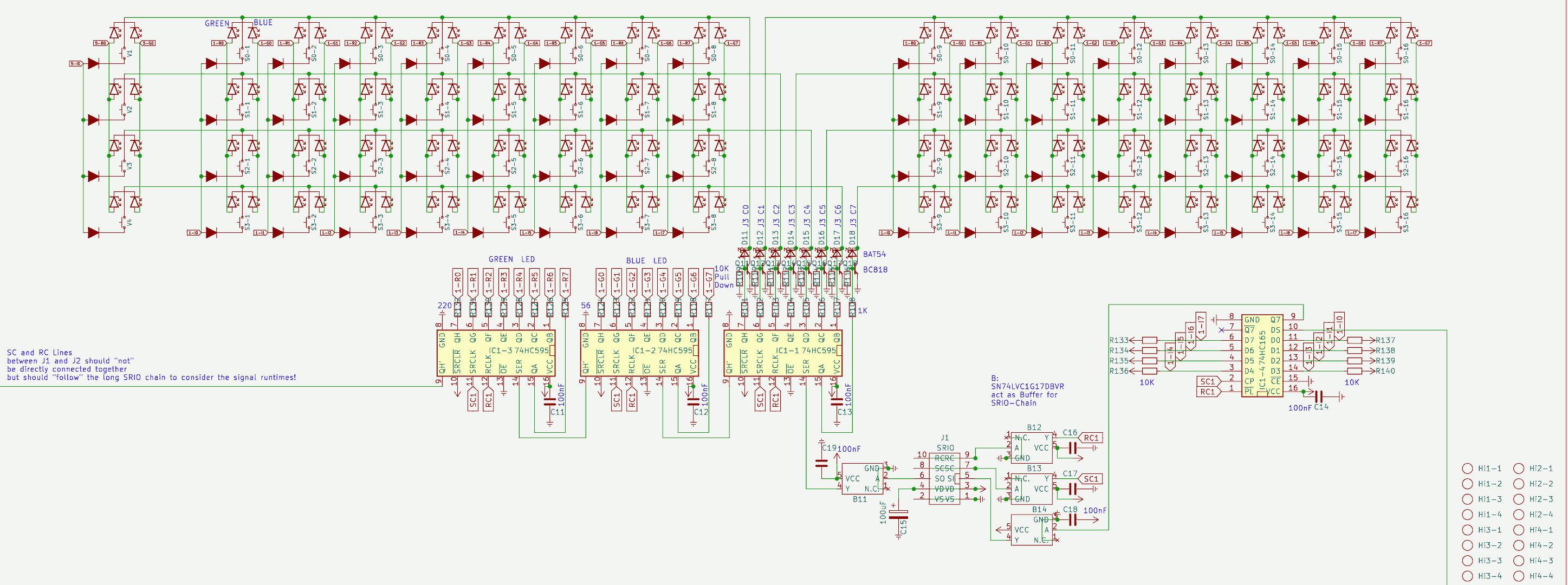
*** if you go the Serial Chain way, then buffer the Serial chain on each module to keep the digital Signal Quality intact (very necessery)

*** buffer: search for SN74LVC1G17DBVR in this shematic: http://wiki.midibox.org/lib/exe/fetch.php?media=phatline:blm16x16-shematic.pdf


maybe use pick and place ready smd technologoy like i did:

that makes it smaller, and less to solder, less to debug,  the plastic packages stays in china, more economical special when ordering more pcbs, by that of course a module should fit all the boxes (a exotic 1 man needs it module 10times fabricated is 9 too much…)

i think i dont have to say, that you should choose “Basic” Parts, and not “extendet parts” on JLCPCB, - off course on most modules you have at least one or two extendeet parts… but for example a DINX4 or DOUTX4 can be made with basic parts only… but when you also want to pick and place all the pin headers - these are extendet parts, how ever … you may look on my last modules a bit

http://wiki.midibox.org/doku.php?id=tm5-dindoutgate

http://wiki.midibox.org/doku.php?id=doutx2dinx1

if you use long cables to your Displays + u use more displays then one -  on the modules, use a display driver (no more walking lines)

http://wiki.midibox.org/doku.php?id=displaydriver-smd


what else? if you make ground or other PCB-Planes, then setup kicad that it make 1-2mm space arround solderpoints - else the Soldering Man could make shorts, or electrocemical oxidations or solder flux-low-residance could make there some problems (after years), special when the Solderstop-Pain is scratched a bit…

… and so on…


PS i hate this wooble feeling off this LeMec Buttons (the last board you posted) - these Buttons are not good (for my taste)

I love to work with this ones: https://www.reichelt.de/at/de/eingabetaster-schaltspannung-24v-fuer-led-sw-dtl-2-sw-p7248.html?&trstct=pos_0&nbc=1

they are expensive, but they last decades (in use, and also if you order 300 off them and let them lye arround, after 15 years they still work)

They have good CLICK, like a mechanical Keyboard.

your leMec Buttons are like a mixture off Rubberdome and “i have to touch this buttons into one direction X=0 Y=0 else it want switch”


or you could use:

https://www.midiphy.com/en/shop-details/140/4/5pcs-matias-quiet-click-tactile-switch-

they are cheap but big… (aka take away a lot of Frontpanel space)


or maybe you use cherry switches or simulars… they are all 1000% better then this leMecs… ( you notice i hate them)


1 Like

thank you for your reply

Quote

suggestions? Maybe use the Eurorack format, so it can also be used outside your box?

I’m working on it :

I noticed you don’t like the MEC buttons, I’m looking at the alternatives. maybe cherry switches, I need to find some nice caps (any suggestions?)

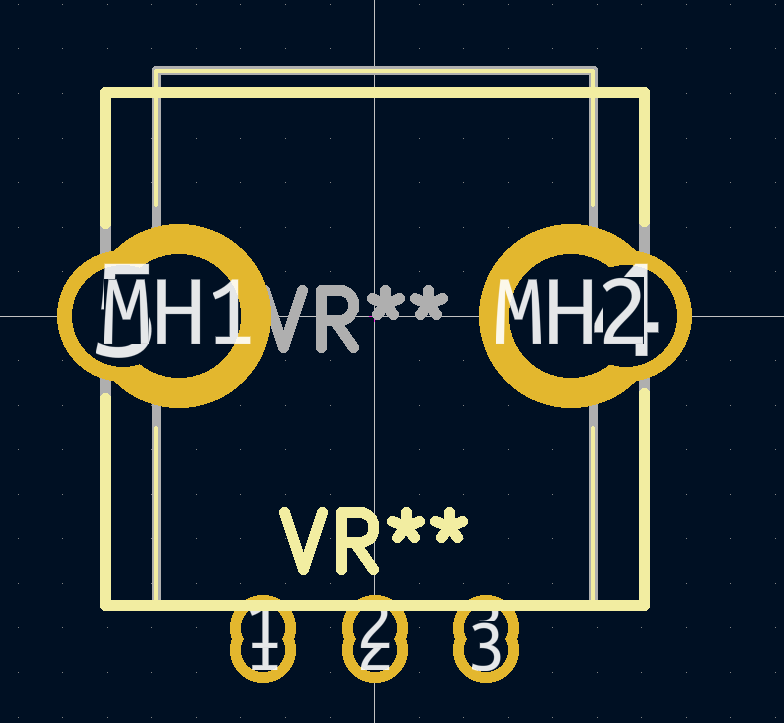
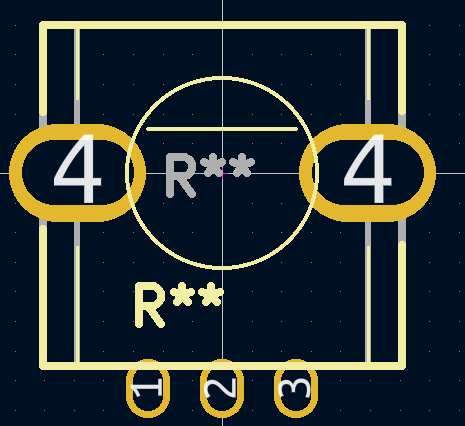
I want to merge 2 footprints for the potentiometers:
(so that I can use different potentiometers)


Is this a bad idea?


should I connect pads 4 to the -?


thank you for your help

@poti; if the shaft’s center is in the end on the same position - so same frontpanel holes can be used…  and: when soldering the thing: first mount the pcbs with loose potis on the frontpanel then solder it (and document this in the “how too build”…


@ - : use thermal destress traces (cant remember the kicad word) when using groundplanes, so you can desolder the the poti much easier.

1 Like

@ cherry: the switch itself you can get already from eg https://www.reichelt.de/tastaturzubehoer-c8099.html?ACTION=2&GROUPID=8099&SEARCH=*&START=16&OFFSET=16&CCOUNTRY=445&LANGUAGE=de&r=1&SID=967792150a00d890464504461a66ae529d97182e528c945af4544


caps: amazon, alibaba,.maybe.some thing like that: https://www.amazon.com/dp/B00FYO8EDC/ref=mp_s_a_1_5?keywords=flat%2Bkeycaps&qid=1675511770&sr=8-5&th=1&psc=1


https://www.cherrymx.de/en/dev.html

the low profile is maybe interesting…


1 Like

here is where I am at the moment:

https://drive.google.com/drive/folders/1IZLVG2fVXstxGC9ZCWl0OCMjF7R1GEB3?usp=share_link


i am looking for rgb leds

it is listed here:
http://www.ucapps.de/midibox_ng_manual_hw.html

you need an external power supply.

how to handle this?

|

|

Thanks for your help


Quote

With a MBHP_CORE_STM32F4 module it’s possible to drive WS2812 based RGB LEDs (usually used for LED strips) with 3x8bit resolution. The data input has to be connected to J4B.SC, ground to J4B.VS and +5V to an external PSU (required, since each RGB LED can consume up to 20 mA!)
Up to 64 RGB LEDs can be driven by the core. More could be enabled if desired by increasing the number with ‘#define WS2812_NUM_LEDS <number>’ in the mios32_config.h file, but note that each LED will consume 48 bytes and therefore the RAM limit of the STM32F4 could be reached quickly! However, 128 LEDs are working ok so far, but this could change than more firmware features are added in future.


|

|


at RGB-Leds > i dont know, how many you will use? which coremodule you will use? is it eurorackbased > and eurorack powerd? Which RGB-LED you will use - and what is the Voltage it needs? and so on…


i looked into your files… some notices:

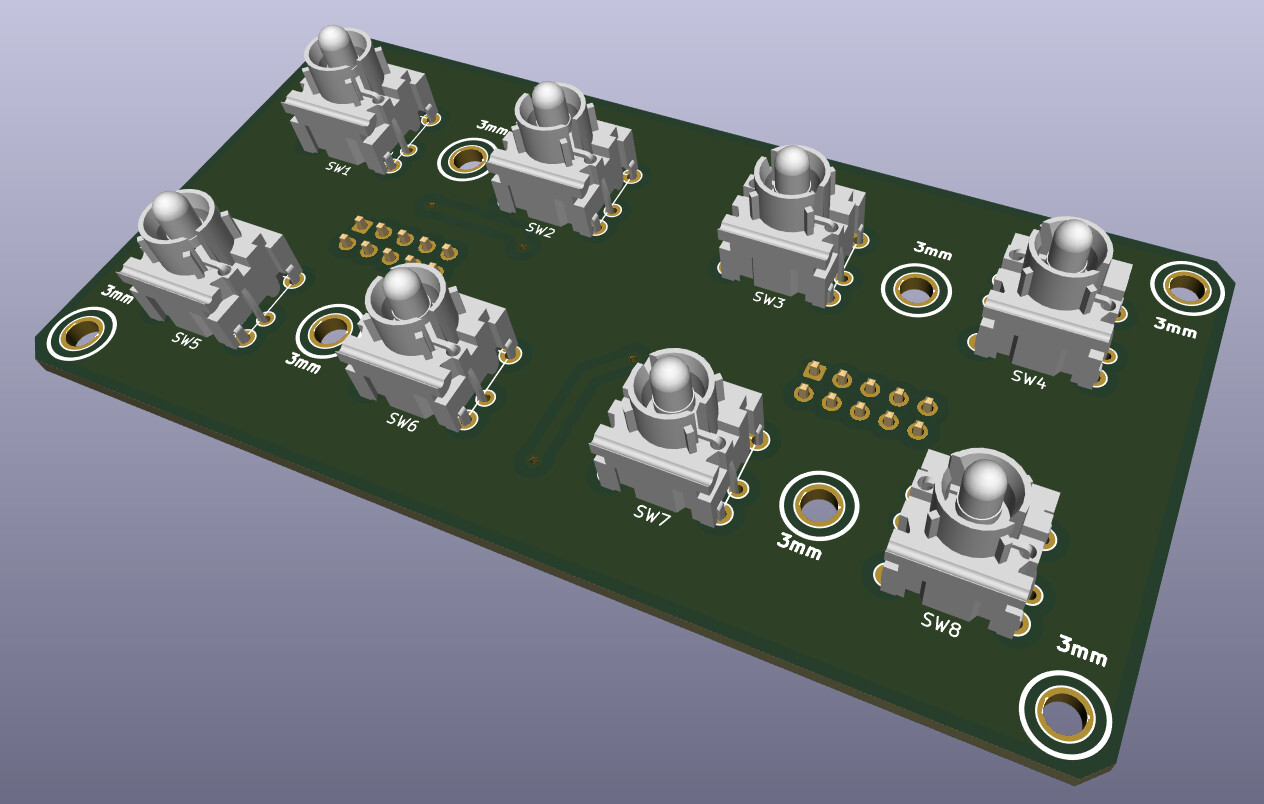
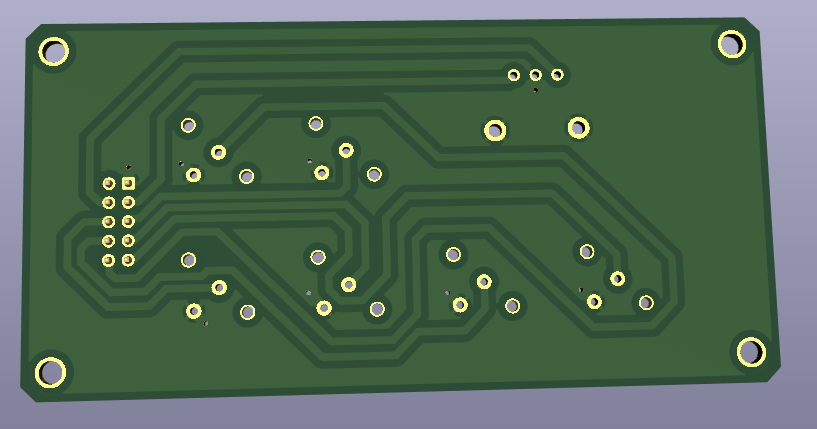
@BP:

dont connect the mountingholes to ground, or any other potential, best would be to make a keep out-area (sperrfläche) arround it, like i did for example here: http://wiki.midibox.org/lib/exe/fetch.php?w=600&tok=f96292&media=phatline:daw-btn-3d-b.jpg

since you can plastic and/or metall standoffs to mount that pcb to the panel, you would need at least 6mm or more keepout-area…

background: you want to avoid groundloops over the frontpanel, and the risk of a electrical shock is less…

The LEDs in the diagram are connected false, the tip off the arrow should always be connected to the ground. (you should turn them 180°)

which buttons do you want to use? please check the pinout off them… for me it happend that i did not connect the correct pins, so double check this…

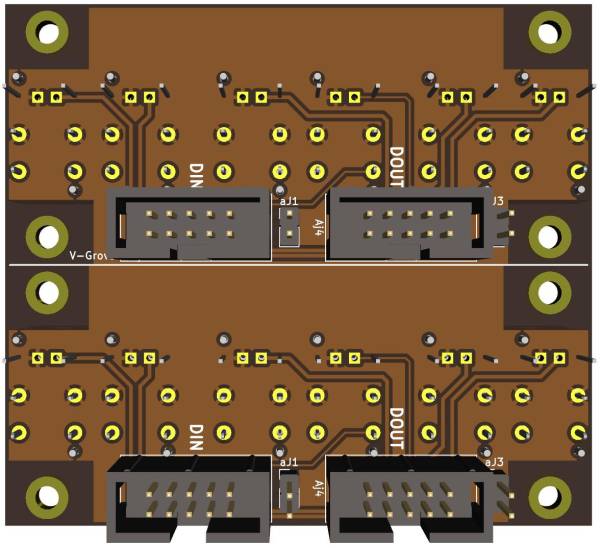
why you made those cuts on the 4 corners? its better to make them rectangular - background: if you panelize the pcb, you have to draw a V-Grove line, the machine can only Grove in 90°, the idea, is to put  2 off this boards on one 100x100 PCB so you can save money on FAB…

way more oversight you have if you use a Groundsymbol… instead off paint Lines to a ground inside your shematic… look into “control” to see what i mean…also it makes it easyier to work with groundplanes, since this needs a NET…


@Control:

please open this file:[Control.zip](< base_url >/applications/core/interface/file/attachment.php?id=15930&key=20132689c91f71d1c16cc6dc1a2a2344)

the same like above, and, you dont need that vias next to PIN 2 off the switches > Pin 2 is a via itself… - same for Pin 1 off P2,    the Problem it did not fill without your Vias:  because you dont used a Ground-Net…

 Pin1 - which is labeld as VDD (+) was connect to all your buttons and the pot (which is a Encoder)… normaly we connect them to ground…

VSS is ground… so i exchanged the whole thing… i  dont know iff this is then still correct  in your big picture- wiring diagram… how ever thats the way i would make it - at least iff the Pin-Labels off the IDC Connectors are right…

you should put the 4 mounting holes in the shematic, so you dont loose them when updating the PCB

Also dont label your Encoder with Pot or RV >>> this is not a Potentiometer… that confused me until i realized this is a Encoder…

also the google-Drive files are a bit corrupt - the footprints where not assigned to the Shematic symbols… when you save the project and upload it somewhere - zip it  inside Kicad with “Projektdaten archivieren” - dont know the french word for it.

-please overwork also your BP like/or simular like i did…


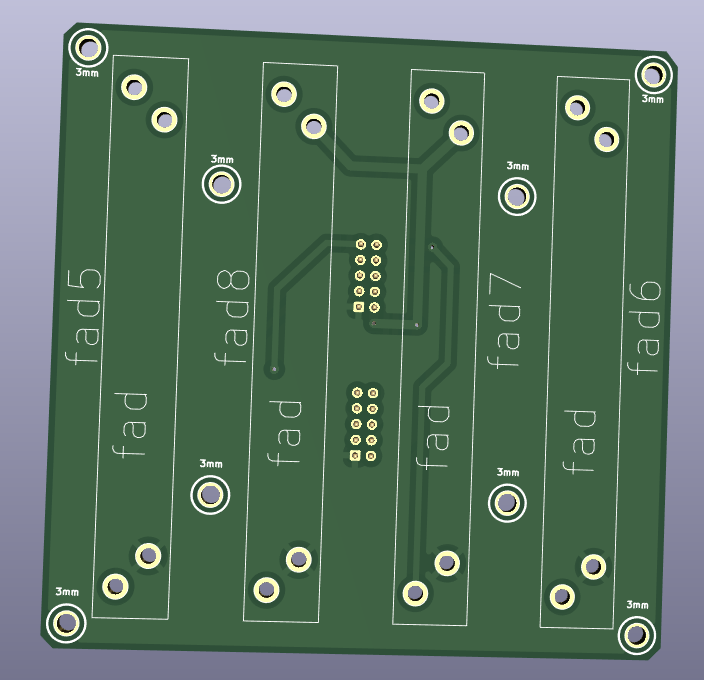
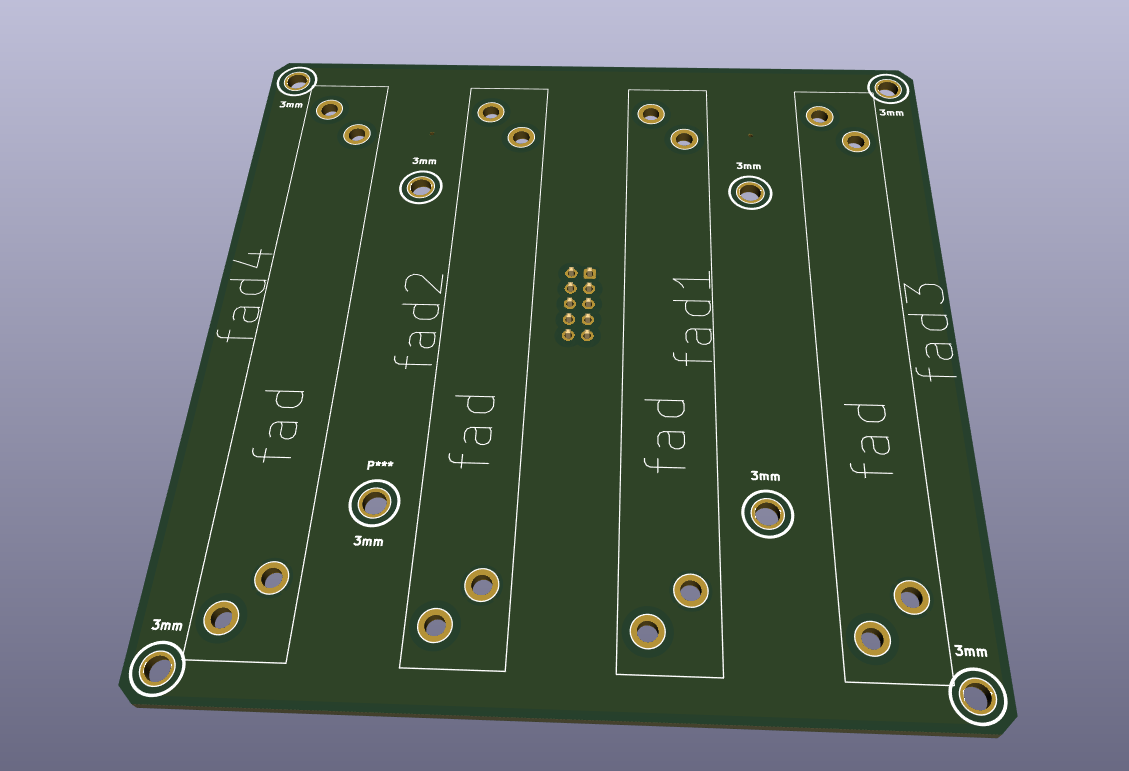
@Fader 1/2… please open this file: [Fad_2.zip](< base_url >/applications/core/interface/file/attachment.php?id=15931&key=ace388736f63f83dbc2ebb61c58b993b)

shematic: also better use GND and VDD Nets… more oversight! if you dont use a Pin off your IDC-Header (P5), then “x” them out with the blue “x” on the right side off your  editor…

For what are those outer Mounting holes? they are too near to the Faders…make the pcb bigger so there is space for a Spacer/standoff, or use only the 4 inner mounting holes… which i think is enough…

again better 90° corners…

fill out your Shematics “Circuit-Field” right down - dont know the englisch or french word for “Plankopf” … by the way you can design your own “Plankopf”, so you dont see there thing like “KiCAD E.D.,A kicad 6.0.10…”

keep out for mounting holes again… (see PB)

dont make outher planes on VDD(+) … mostly there can happen problems when mounting the thing to a panels, better use Ground-Planes…

When looking on your FAders Footprint, and on the DAtasheet for the RA6020F then i am not sure iff the pinout is correct (the datasheet is bullshit…) but i guess you imported the Symbol and Footprint from mouser or something…then i guess its oky…


also use the design-rule check function (in a shematic and PCB-Editor)


i did not looked in the other kicad-projects… but i guess its the same -  a bit overwork needet..
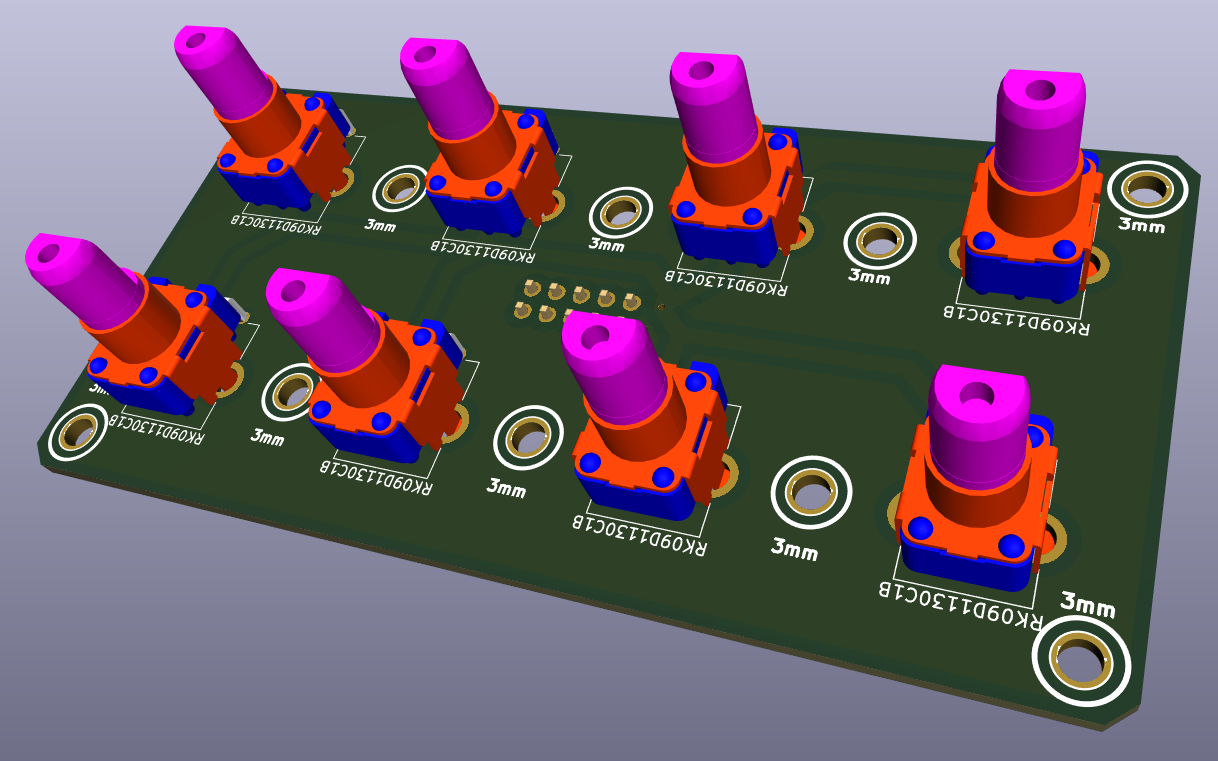
1 Like

Good morning;
Thank you very much for your answers and your help which are very precious to me.

I tried to correct my files according to your advice. (in the previously shared folder https://drive.google.com/drive/folders/1IZLVG2fVXstxGC9ZCWl0OCMjF7R1GEB3?usp=share_link) (I upgraded to version 7 of kicad).

I’m also trying to make a PCB with silicone buttons, (see in the TO_DO folder in the folder I shared)
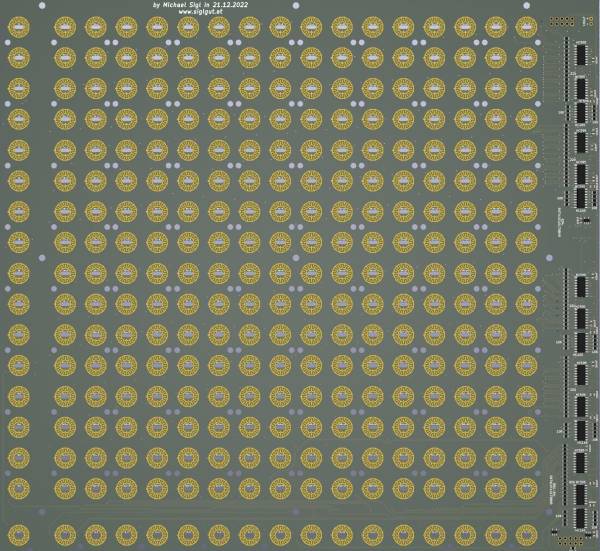
how to create a footprint in kicad for silicone buttons, (like you did here: http://wiki.midibox.org/lib/exe/fetch.php?w=600&tok=c1a13e&media=phatline:blm16x16-pcb-3d-front.jpg)
Would you be willing to share your footprint?

The files you will find in the TO_DO folder are in progress, full of errors and far from finished … if you look at them, your advice is always welcome


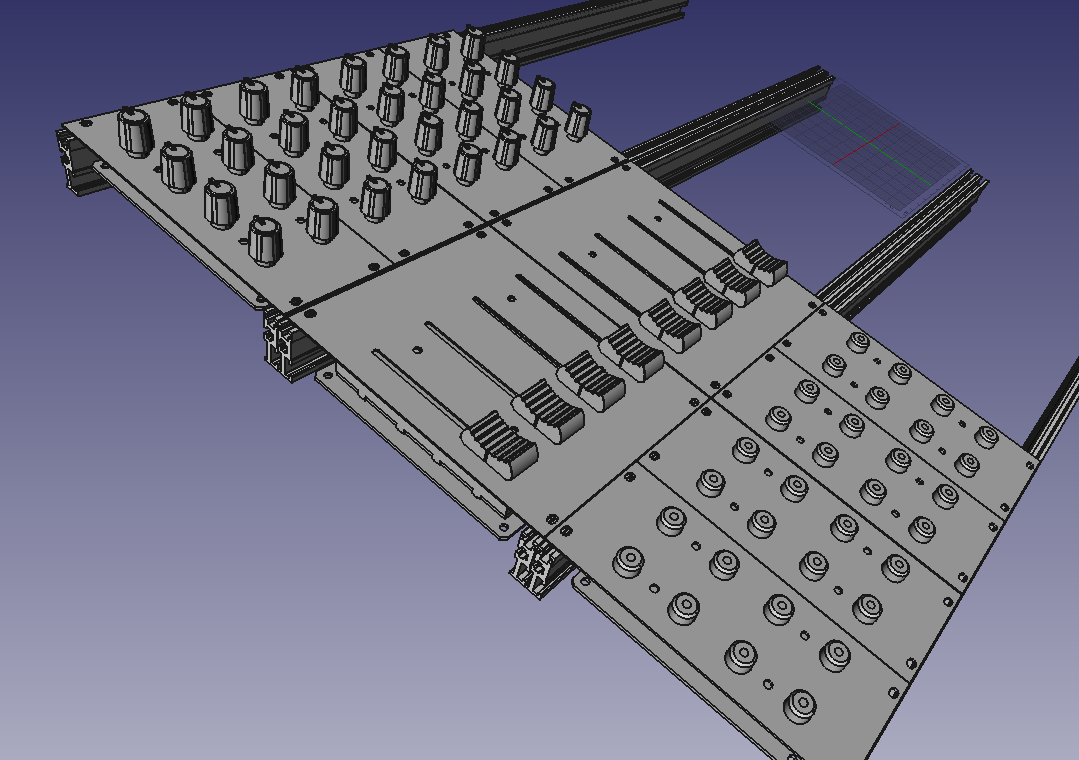
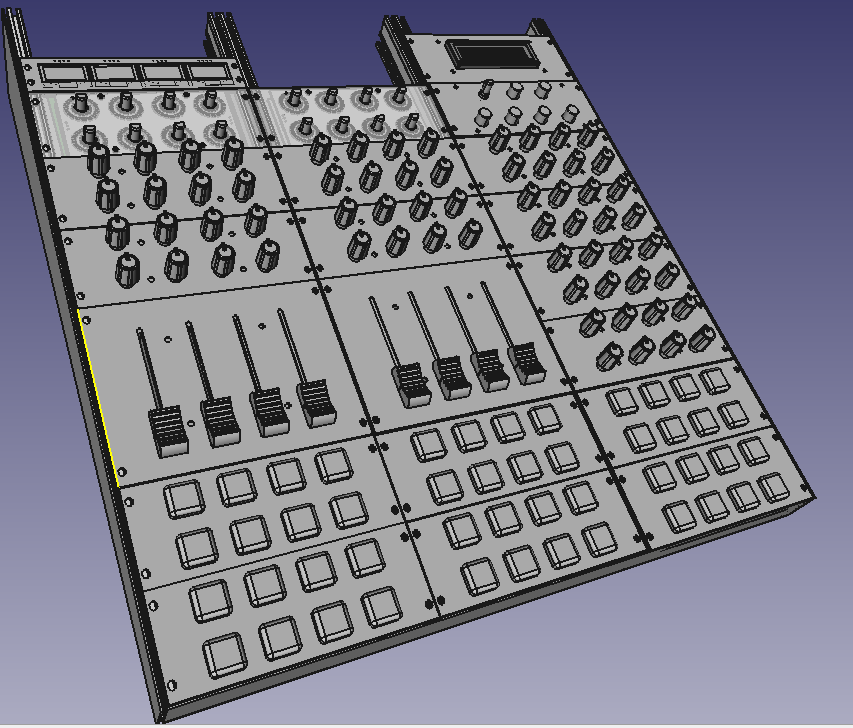
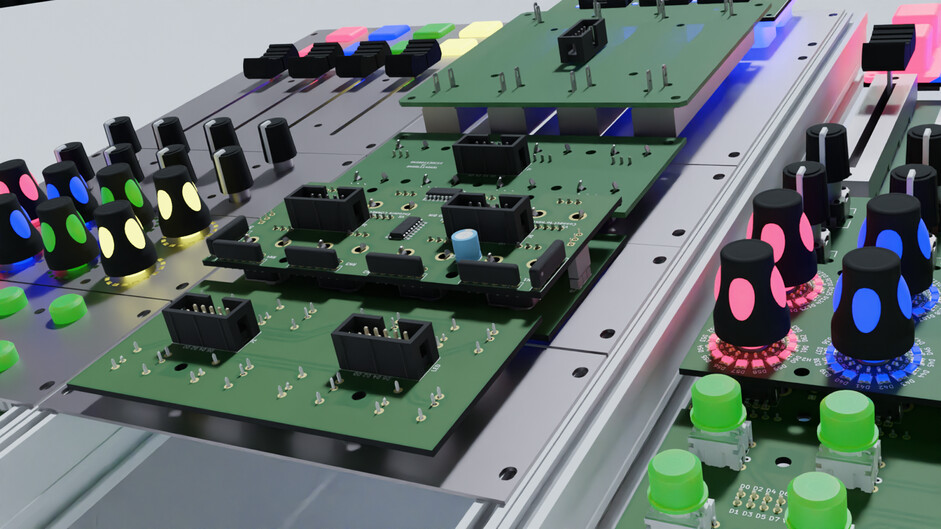
for fun, a vision of what my future controller could look like, disregard the screen at the top right, it could have a series of oled on the top

yes i can share it… will take a while… do you want to use it in a button-led-matrix “scalar” way?

3 hours ago, Phatline said:

yes i can share it… will take a while… do you want to use it in a button-led-matrix “scalar” way?

Thanks

It’s mostly to look at how you designed it. I would adapt it for the sparkfun 2x2 pads

i would like to use it with rgb leds

hei

i stripped down the BLM-Project (so it cant be cloned with out weeks off routing U B :wink: )

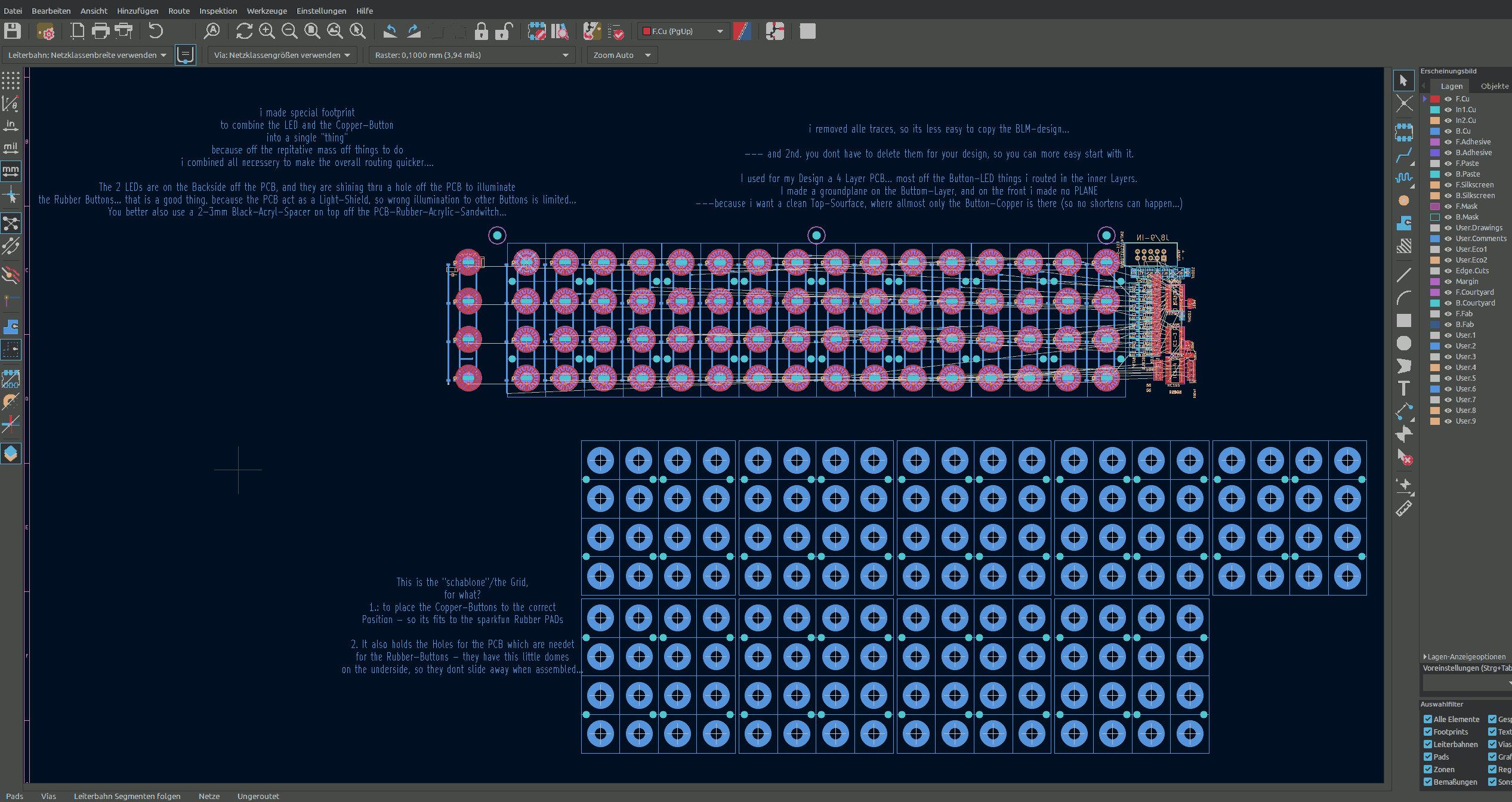
[BLM-how-to.zip](< base_url >/applications/core/interface/file/attachment.php?id=15954&key=d772c1a4ca2367d14313da9647254e31)


and i wrote some explaination… basicly i made a Grid with a center-cross - so a single button-LED-Fottprint can be placed correct to the Rubber-Button-Grid…

you may have to set a a new “zero position off the Kicad Grid” to this crosses when you place the Button-LED-Fottprint on them…

this Grid also have the Holes for the PCB which are needet to hold the rubber in Position..

maybe you find a “Flip-Chip” Variant for your RGB-LED… it would be better… you should not place it on the TOP side off the PCB… because it will illuminate the Neightbar-Button-Rubbers…

The Hole in the PCB where the LEDs shine thru, act as a Light-Shield…

I too have to draw a RGB-LED board (for a other Task, to illuminate a Frontpanel…), since i dont have expierence with that RGB-LEDs… this will take a while… if you found a solution i would copy it from you…


At Kicad 7… didnt know there is a stable out… good to know… will update too  (else i cant check your projects)


1 Like

Subscribing :wink:

Amazing project ! Keep going and thx for sharing !


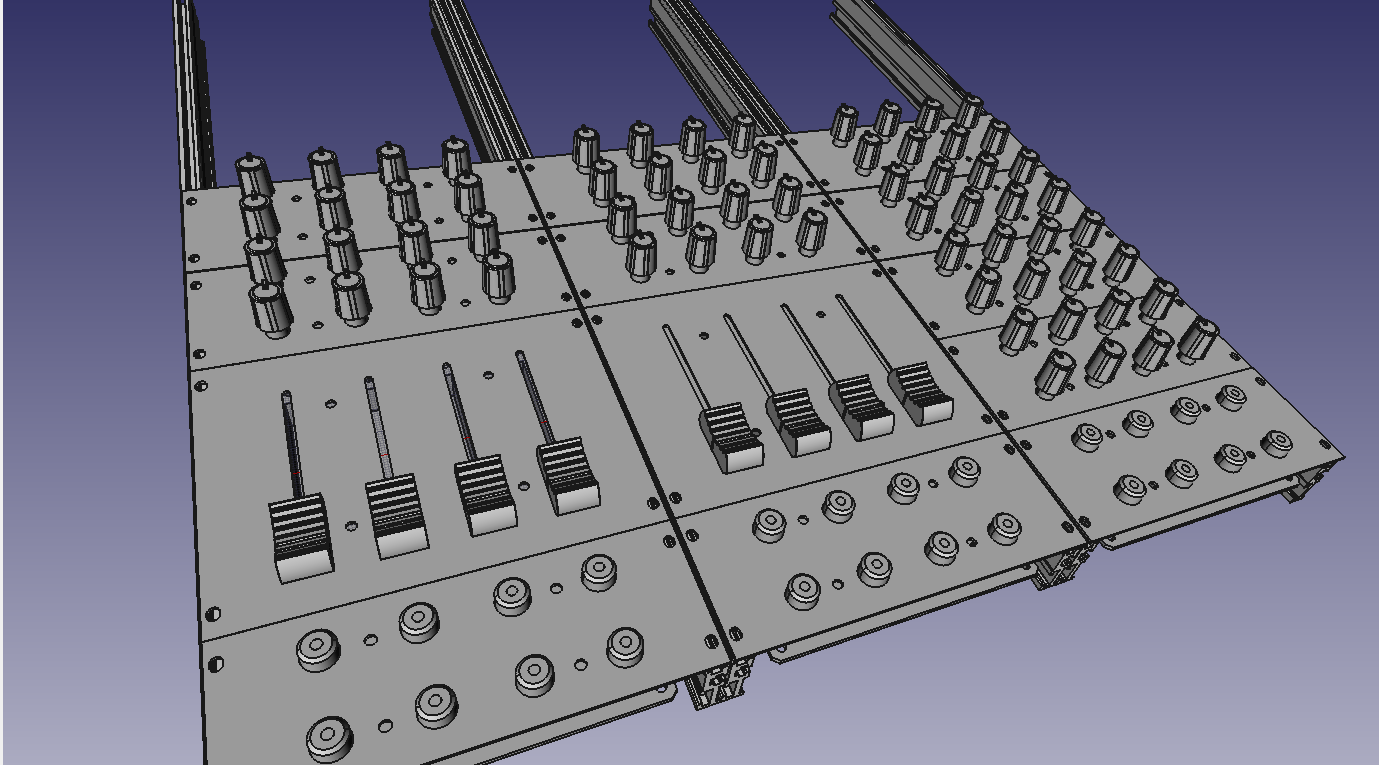
For fun, an overview of the modules already developed and under development


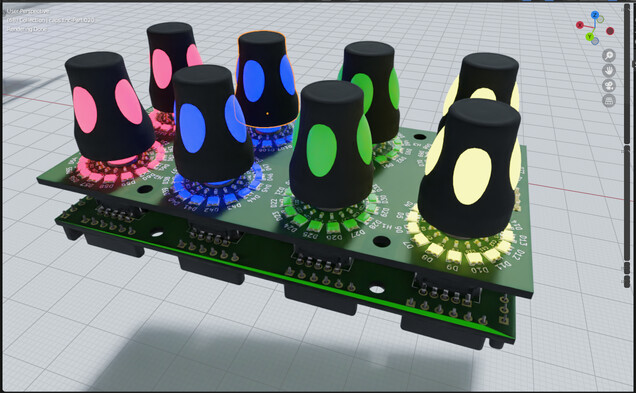
The module that gives me the most problem is the

4x2 Enc RGB SW Led ring Rgb


https://drive.google.com/file/d/1kLTryPKwxlgYORO9NTeJ00XRjq4Sl2w4/view?usp=share_link

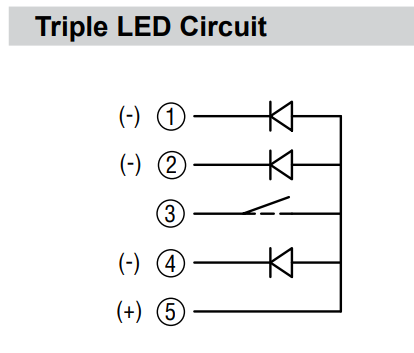
I’m trying to use Bourns RGB + Switch Pel12T Encoders
https://mou.sr/3zJilbU
https://www.mouser.fr/datasheet/2/54/PEL12T-777462.pdf

But the wiring diagram of the leds and switches of these encoders is a challenge for me:

the RGB LED matrix is also difficult.

Maybe it’s not possible with a matrix because of the switch ? 

Help and advice are always welcome.

and the lack of space on will also be a PCB challenge,
I may be forced to add a third sandwich panel.


hello,

always about

4x2 Enc RGB SW Led ring Rgb

I abandoned the idea of a matrix for the rgb leds of the pel12t encoders. this simplifies the diagram.
for the common anode I read here:
just connect the cathodes to the DOUT pins.
595s can sink current, which means they “can supply ground/0V”. Thus, the output is “reversed” for common anode parts. This can be specified in MB_NG. When the 595 output is high, the LED is off. When low, the LED is on.

On the other hand I still do not know how to connect the switch of the pel12t encoders to the 74hc165.
normally a switch is connected between VS and D*
with its switches the contact is between VD and D*.

Is there a way to solve this problem in a software way?
should I use a bc547 for example or other hardware solution?
another possible solution?


https://drive.google.com/file/d/1kLTryPKwxlgYORO9NTeJ00XRjq4Sl2w4/view?usp=share_link


Thanks for your help

maybe by removing the pull-Hi resistor off the HC165 Circuit, and using a Inverter on its inputs

for example:

https://www.mouser.at/ProductDetail/Nexperia/74HCT1G14GW-Q100H?qs=SKY61BOKKY4Uv%2FaFLc8SsQ%3D%3D

https://www.mouser.at/datasheet/2/916/74HC_HCT1G14_Q100-2937184.pdf

(just a example maybe there are better parts for this porpuse, and i dont know how hard to solder this one is)

that would reverse Lo and Hi, and you could use this bloddy 3 LEDs ( where i think thats not a good idea, the Encoder is expensive - and not really a standard part…)


but for that quick idea i would prototype that first (order a inverter, order a Encoder, make wires without pcb) … specially iff any pull hi or pull low resistors are needet elsewhere, i guess you need a 10K pull-low resistor (to ground) on pin 3 off your Encoder then:

HC165 > Inverter > Pull-Low + Pin3


since i have not much time these times, and you have plenty off modules what module i should check next?

i just had a look on your 4x2 Enc RGB SW Led ring Rgb render here… and i am not 100% sure that the inbuilt RGB LEDs that enlighten the Encodersshaft dont shine on the LED-Ring and make them hard too read (maybe need some lightshielding)… by the way hard too read, those Alps Knobs are a bit big for that small Ledring - can you still see the LEDs when looking from a angle that is not 100% from top?

1 Like

Thank you for your involvement in my project. 

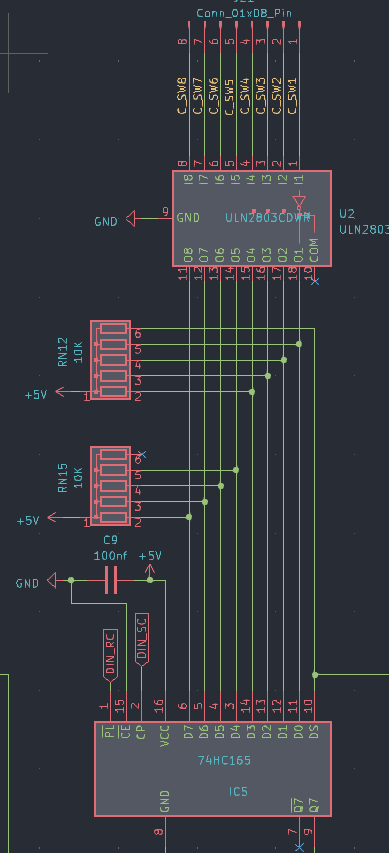
After studying novski’s projects https://github.com/novski/Midibox/tree/master/VLR-8Enc
It uses an uln2803 for the switches.
I reproduced its layout, but I don’t really understand how Darlington transistor arrays work.

https://drive.google.com/file/d/1EW-IxclCJ1_cOeau-bTUnaOuSZ5eGdsN/view?usp=share_link

I will study the solution you propose with 74HC1G14.


22 hours ago, Phatline said:

just had a look on your 4x2 Enc RGB SW Led ring Rgb render here… and i am not 100% sure that the inbuilt RGB LEDs that enlighten the Encodersshaft dont shine on the LED-Ring and make them hard too read (maybe need some lightshielding)… by the way hard too read, those Alps Knobs are a bit big for that small Ledring - can you still see the LEDs when looking from a angle that is not 100% from top?

you are right and will try to take your remarks into account.
although I don’t have a solution yet.
the alps caps are pretty and I couldn’t find a smaller equivalent.


22 hours ago, Phatline said:

since i have not much time these times, and you have plenty off modules what module i should check next?

thank you again for your involvement
The encoders and silicon pad modules are far from finished.
the other modules are almost ok for me, I should check them again.
maybe you can watch this if you want.
but if you have little time, I would not like to waste it and keep the time you can give me to really check the modules that I think I have completely finished

which do you think are completely finished?


at Inverting - something like this:

www.siglgut.at/temp/encoder-phatty.zip


@ ULN2803… normally used to drive Ledrings - because off Currentlimitations off HC595ers… didnt see them on DINs normally?!

@ lack off space > use 4 Layer PCBs… dont use Thruholeparts like your 10K Resistor network - since it will steal space on all layers - better use SMD single resistors there (when you think in Multilayer), when handsolder then you can place them on top or back where you want… if pick and place then off course only on one side…

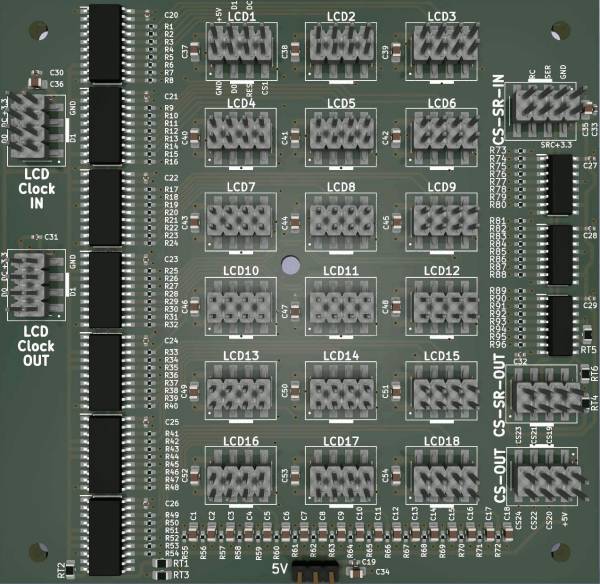
Those 2x5 Pinheaders are also aviable as SMD Parts (and also on JLCPCB as Pick and Place Parts) … Those Pinheaders in Action on a 4 Layerboard:

http://wiki.midibox.org/lib/exe/fetch.php?w=600&tok=5fb4d9&media=phatline:display-driver-smd-3d-front.jpg


thinking in this terms - there is plenty off space, and you could arrange then with this new space the Shiftregisters and its Datalines in a parallel manner (at least it will be easier)

9 hours ago, Phatline said:

which do you think are completely finished?


potentiometer :
https://drive.google.com/file/d/1ThTC36WdYeexnTdHlgVoUhtVUv2OzcR3/view?usp=share_link


push button
https://drive.google.com/file/d/1pnDtaprQ3Mufdyg4ZW1S13UnAKqt1rC1/view?usp=share_link

Fader 1
https://drive.google.com/file/d/1x0nXSRO_pQJPZEVyxlxVWuarjBzKPW2m/view?usp=share_link

fader 2 (connect to fader1) 
https://drive.google.com/file/d/1npn4KlHNovZrZ0nFLKRoN7tZ-Jd0Pf2J/view?usp=share_link


all files are here
https://drive.google.com/drive/folders/1IZLVG2fVXstxGC9ZCWl0OCMjF7R1GEB3?usp=sharing


thanks to you


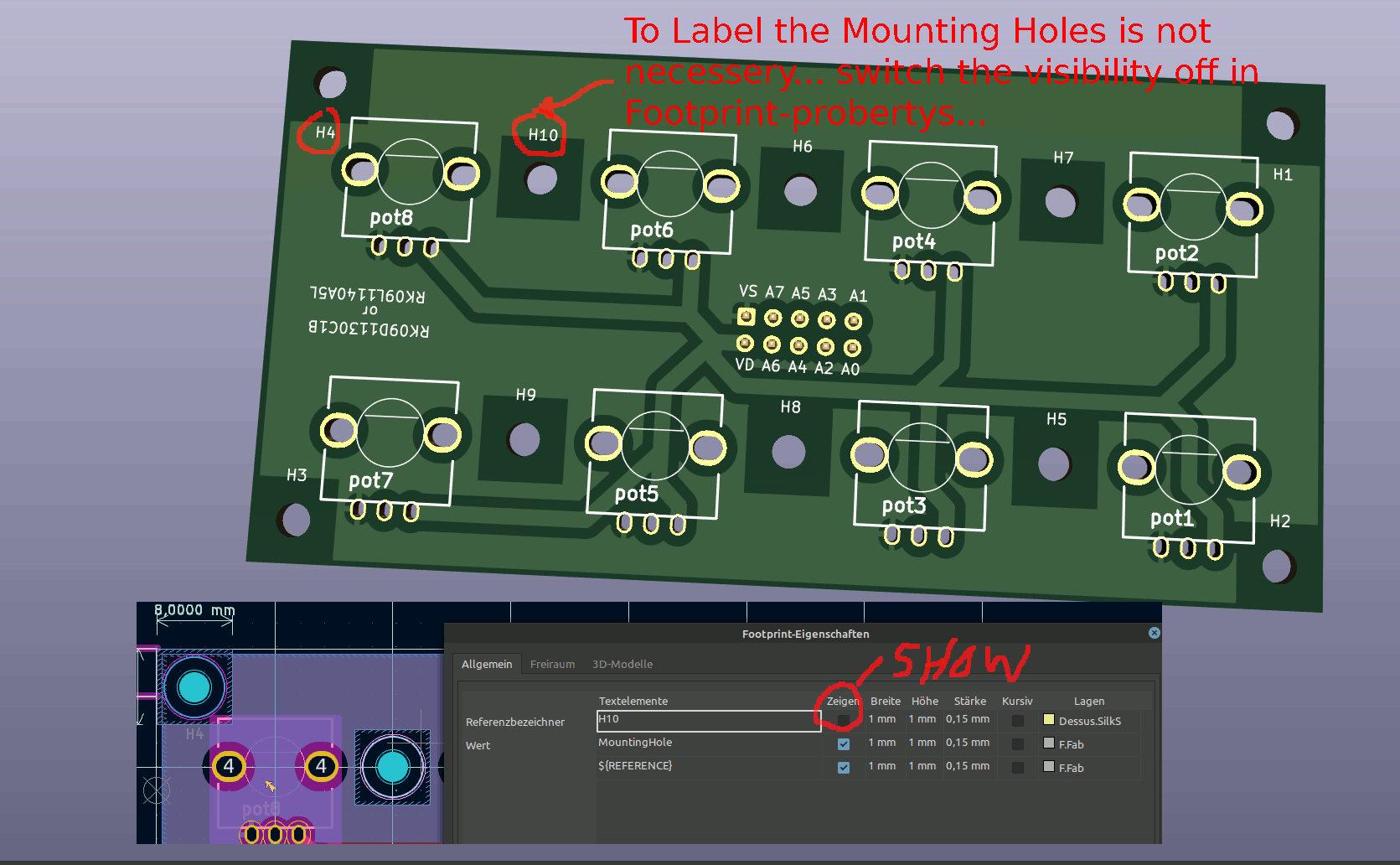
@ potentiometer: looking good, but labeling the Holes is not necessery (i think) :


1 Like