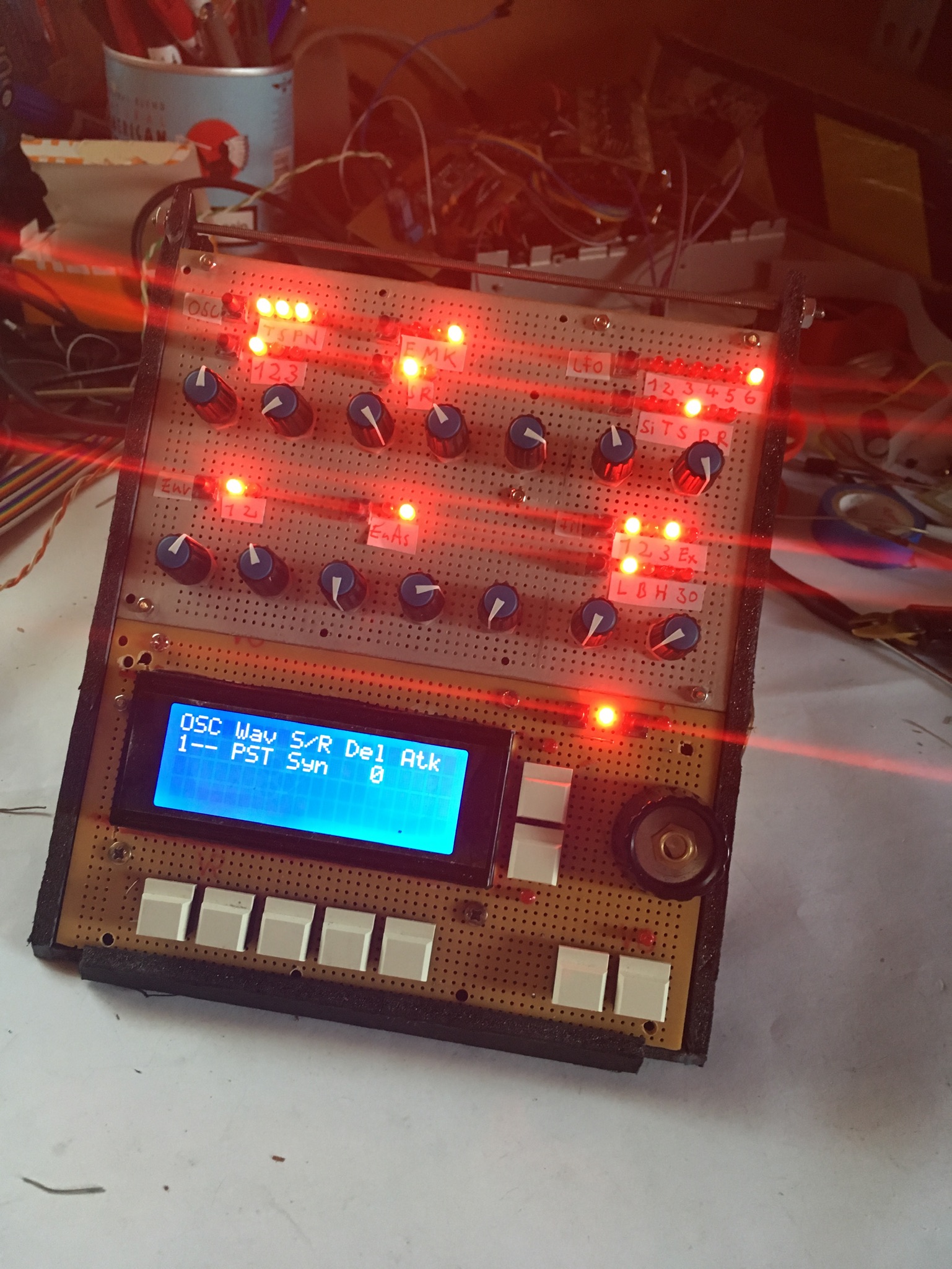
MB SID classic with 4x20 LCD setup question

My MBSID is now ready to work.

Unfortunately I found out now that a 4x20 lcd is just supported by the wilba and the classic mbsid just supports a 2x20 by default “fimware”

(Its also cheaper than a 2x20)

I still struggling with programming, I tried to setup the win7 chain but I stucked as I couldn’t activate some plug in settings as described and gave up.

I want to set it up at my mac but I’m not sure if the manual is still working with mojave.

Some things are also not clear to understand for me.

Do I just have to change the program line for initialising a 4x20 or do I have to crawl in the wilba code and copy/redesign the lcd code for showing up all the stuff?

If it would be so easy to just change a line would be someone so kind to edit the code for me? 

It’s been awhile since I looked but I’m pretty sure all that’s required is changing a single flag somewhere in the code.

1 Like

in the asm file, change to this, compile, upload  and Bob’s your uncle:

 ;; number of LCD lines (supported: 2 for 2x\* LCDs and 4 for 4x\* LCDs) #define DEFAULT\_LCD\_LINES 4 ;; LCD line -\> cursor offsets #define DEFAULT\_LCD\_LINE\_Y0 0x40 #define DEFAULT\_LCD\_LINE\_Y1 0x14 #define DEFAULT\_LCD\_LINE\_Y2 0x00 #define DEFAULT\_LCD\_LINE\_Y3 0x54


1 Like

Ok, that means I really just have to change some lines but as I said I did not get the program chain working and I don’t really know if I need to install all the stuff because this looks like installing stuff for realtime editing via mios studio. So I thought I just could open the asm file with the microchip ide and I need to include some files…

Whatever, one other way I imagined was to translate the lines to hex and just exchange them but this did not work because the translation was not “satisfying”

But if this the one and only way as it is described in the mios manual and still not obsolete ok, I will try to go trough this hell, again. 

Here’s the two versions of V2_044 compiled with settings for 4x20

Enjoy :slight_smile:


setup_6581.hex

setup_8580.hex

3 Likes

Here is the instructions on how to set up the tools  http://www.midibox.org/dokuwiki/windows_toolchain_quickstart

your build looks great btw! 

1 Like

14 hours ago, eptheca said:

Here’s the two versions of V2_044 compiled with settings for 4x20

Enjoy :slight_smile:


[setup_6581.hex](< base_url >/applications/core/interface/file/attachment.php?id=14476)

[setup_8580.hex](< base_url >/applications/core/interface/file/attachment.php?id=14477)

Thank you very much eptheca - I love you!

I was trying to copy sdcc to the Developer dir, but get error messages, it does not exist. Well, I´m going to annoy you guys later with this stuff, sooner or later I want/need to modify code.


2 hours ago, the_duckchild said:

your build looks great btw! 

Thank you, it´s still a cardbox with cables and pcbs but I´m so glad all connections work…

1 Like

Hi!

I am trying to achieve the same, use a 4x20 LCD display. I followed the instruction, and noticed the 2 default lines have shifted down 1 row. They are now in the middle two lines of the LCD. I guess that’s fine for now. 


#define CS\_MENU\_DISPLAYED\_ITEMS 10 #define DEFAULT\_LCD\_LINE\_Y0 &nbsp; &nbsp; 0x40 #define DEFAULT\_LCD\_LINE\_Y1 &nbsp; &nbsp; 0x14 #define DEFAULT\_LCD\_LINE\_Y2 &nbsp; &nbsp; 0x00 #define DEFAULT\_LCD\_LINE\_Y3 &nbsp; &nbsp; 0x54

But I’m not sure about these:

&nbsp; &nbsp; &nbsp; &nbsp; ;; NOTE: if CS\_MENU\_DISPLAYED\_ITEMS \> 5, you have to adapt the DIN settings &nbsp; &nbsp; &nbsp; &nbsp; ;; in CS\_MENU\_DIN\_TABLE below

In the code:

&nbsp; &nbsp; &nbsp; &nbsp; DIN\_ENTRY &nbsp; &nbsp; &nbsp; CS\_MENU\_BUTTON\_Sel6, &nbsp; &nbsp; 0, &nbsp; &nbsp; &nbsp;0 &nbsp; &nbsp; &nbsp;; define this if CS\_MENU\_DISPLAYED\_ITEMS \> 5 &nbsp; &nbsp; &nbsp; &nbsp; DIN\_ENTRY &nbsp; &nbsp; &nbsp; CS\_MENU\_BUTTON\_Sel7, &nbsp; &nbsp; 0, &nbsp; &nbsp; &nbsp;0 &nbsp; &nbsp; &nbsp;; define this if CS\_MENU\_DISPLAYED\_ITEMS \> 5 &nbsp; &nbsp; &nbsp; &nbsp; DIN\_ENTRY &nbsp; &nbsp; &nbsp; CS\_MENU\_BUTTON\_Sel8, &nbsp; &nbsp; 0, &nbsp; &nbsp; &nbsp;0 &nbsp; &nbsp; &nbsp;; define this if CS\_MENU\_DISPLAYED\_ITEMS \> 5 &nbsp; &nbsp; &nbsp; &nbsp; DIN\_ENTRY &nbsp; &nbsp; &nbsp; CS\_MENU\_BUTTON\_Sel9, &nbsp; &nbsp; 0, &nbsp; &nbsp; &nbsp;0 &nbsp; &nbsp; &nbsp;; define this if CS\_MENU\_DISPLAYED\_ITEMS \> 5 &nbsp; &nbsp; &nbsp; &nbsp; DIN\_ENTRY &nbsp; &nbsp; &nbsp; CS\_MENU\_BUTTON\_Sel10, &nbsp; &nbsp;0, &nbsp; &nbsp; &nbsp;0 &nbsp; &nbsp; &nbsp;; define this if CS\_MENU\_DISPLAYED\_ITEMS \> 5

How do I need to interpret this? 


Please remember I am a real MB newbie :slight_smile:


Thanks,


Ron

So you´ve got a 4 row Display?

if CS\_MENU\_DISPLAYED\_ITEMS \> 5

= If displayed items MORE THAN 5