. any possibility to load the clips including the ones on disk via program change? and feedback that the clip is free and virgin? … i think on some clip launch matrix from external … in my case blm and triggermatrix… so program change for songs. bank change for scenes and feedback(a cc state for example) would be enough. to use it in a grown midisetup for live sets. jam it in
Originally, i did not want to add every suggestion to the codebase, especially to avoid code spaghetti and to keep this unit streamlined from a software perspective, but i really like the proposal to be able to remote control it!
Currently, all hands are full with the shop start and v4+ documentation finalization, but i can add the requested features, when there is time (autumn/wintertime). You could also try, the current LoopA is fully checked in to the subversion repository (apps/sequencers/LoopA).
With the new run of v4+ boards, we are also stocking up LoopA boards, we could make them available sooner (planned was after the documentation), so if you are content to build without extensive video documentation yet (after the v4+ i know it takes a lot of time, so that will probably happen in autumn), you could have the boards relatively quick. Andy already wrote a short text docu on how to build them, it should be no problem for you!
would be great such pre- loopa board(s), i would make a stop motion film for the built -like i did before on other midibox-gear… and it also would make fun to hack into code.
I have nothing significant to add to this discussion, but I want to follow this thread and I am extremely eager to see this project progress:
I have essentially only used the MBSeq4 that I built in this capacity - as a looper, but I found it a bit cumbersome for the task - Please understand, I’m not criticizing the MBSeq, but instead my ability to navigate using it for the task I ask of it. It does so much more than I need of it that my small mind gets lost in the options.
I built a MidiRex in an attempt to simplify, but then found it not nearly as dynamic as I’d like, especially after I’d been spoiled by the MBSeq.
This appears to me to be the Goldilocks solution to the workflow that I desire.
I am really, really excited to see this project move forward.
It’s really a great little box! We’ll order another set of prototype PCBs in the next day or two, then after the SEQ is all sorted we can think about getting the LoopA to a ready state.
I’m excited to see the new sequencer as well and will certainly buy a kit as soon as it’s available. This looper project though… It’s just the bee’s knees.
I might be savvy enough to build a prototype PBC, if you offered one to me: At the very least, I could let you know the pitfalls that an idiot might expect in building one ;)… Actually a big element of my job is technical writing, so I could probably truly assist in helping to develop the build manual: Give me a schematic, some nod at the idiosyncrasy of the BOM and a PCB and I could pump that out. …If you wanted. No pressure…
The very second that you guys feel comfortable releasing it into the wild, I’ll take three!! (and I bet I’ll feel like that’s one too few). I’m loving what you’re doing.
As a small update: with a bit of luck, the final version of LoopA PCBs and a few acrylic cases (with minor updates) are rolling in in the next days. If there is a problem, we will go for another round, no worries!
Also, the webshop selling all of that just opened, so, good progress is being made!
We have to verify, that the new PCBs work. Then you can build your own, any docu work is welcome! We will definitely also create a video build tutorial like for the new Seq V4+, but it will for sure take quite some time, underestimated the last tutorial for the V4+ (and the second part needs to filmed, too). In short words, a LoopA photo tutorial or build manual would be a good thing, thanks for considering to help out with the documentation!
No CC support as of yet! For that, the bigger SEQ or the CC Looper from Phatline are the best choices at the moment!
(As it is a feature that sounds really cool, e.g. for nice recorded looped filter sweeps, that could even be graphically displayed, it might be added in one of the next versions. Then, “CC” would be a track type, similar as on the SEQ, it could not be overdubbed with a note track for memory reasons, but would need to be recorded on a dedicated track. That will also help to visualize it better).
I definitely want one of these & am happy to build it myself.
my cirklon is #003, give you some idea of how into hw sequencing I am. I have three mk1 notrons, nemo, two P3s, v4 & so on.
but nothing like this. I’ve done poly midi looping on the P3 many times, so when the cirklon arrived, I asked colin to make a little tweak to the way the new polyphonic section does live-record/looping; each subsequent pass, the velocity of the recorded notes is reduced by a defined value… initially, this was to emulate the old ‘frippertronics’ style tape-delay behaviour, but I quickly started using it on patches with a velocity crossfade, so that (say) the piano would morph to a string sound or else get more reverb or go out of tune. just thinking out loud… but it would be a neat trick, no?
Thanks for your kind words, and yes, we are working on the LoopA. Even if the new v4+ has the first priority still at the moment, but it should hopefully all be done and settled in October/November.
We now have the (hopefully) final PCBs waiting for validation. Also, we have slightly improved the acrylic case and added “interlocking” mechanisms to further clamp it down better (in the middle of the case), just as recommended by . The acrylic case should also not be expensive, somewhere in the range of 40-50€, so that this unit will be affordable.
We’re also open regarding new and exciting “uncommon” firmware features, that not every sequencer has, thanks for your suggestions! But let’s get some initial units out, first :).
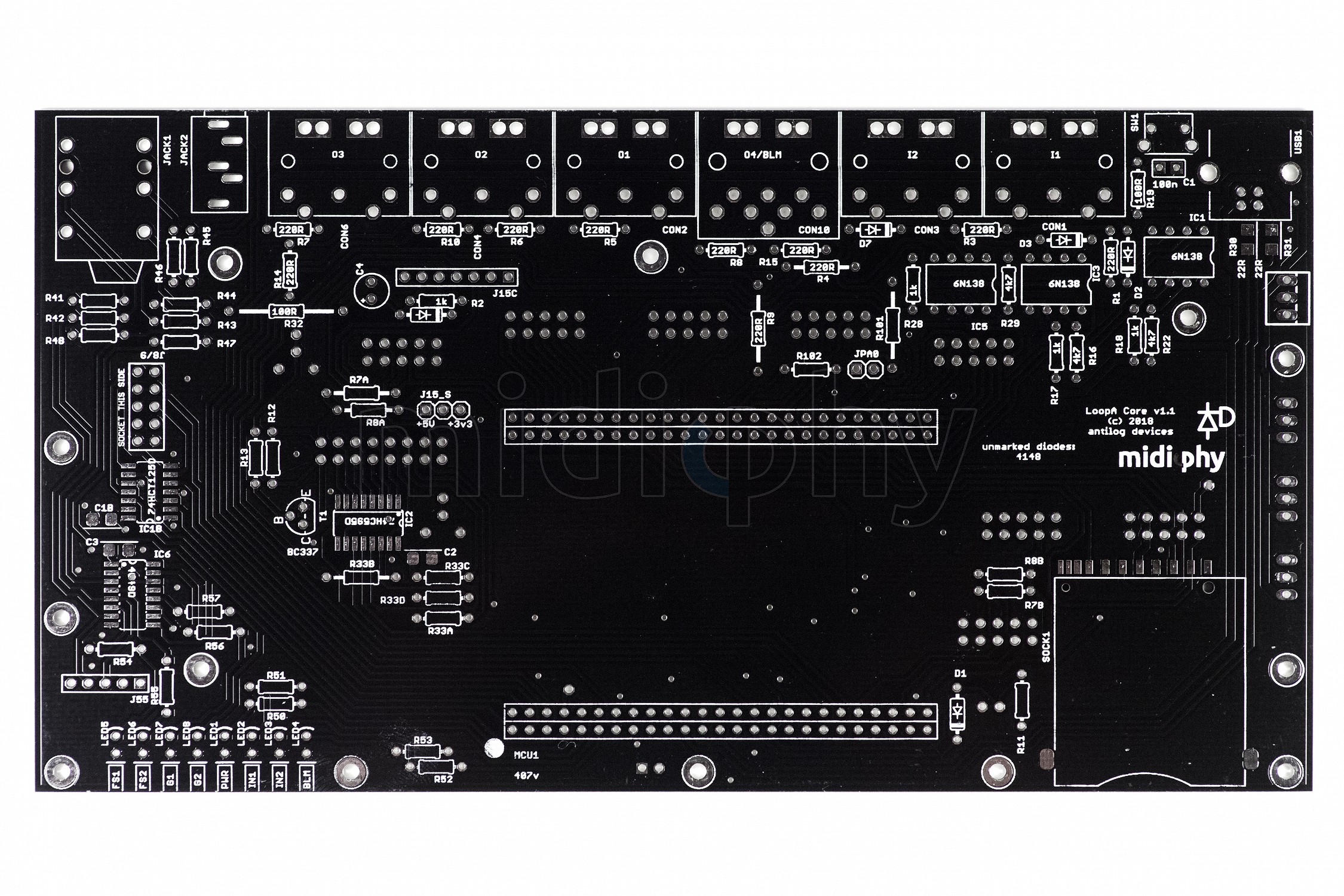
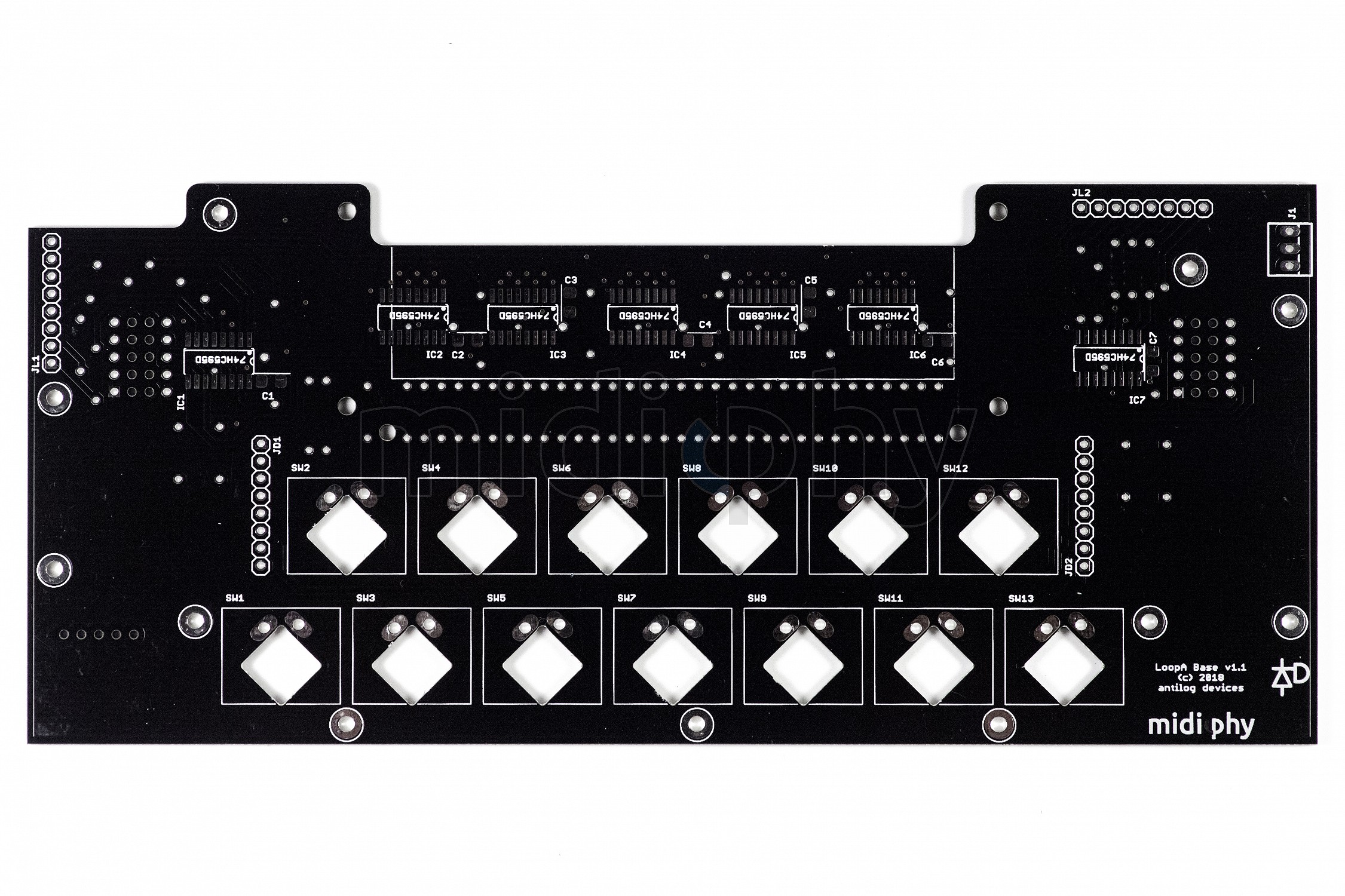
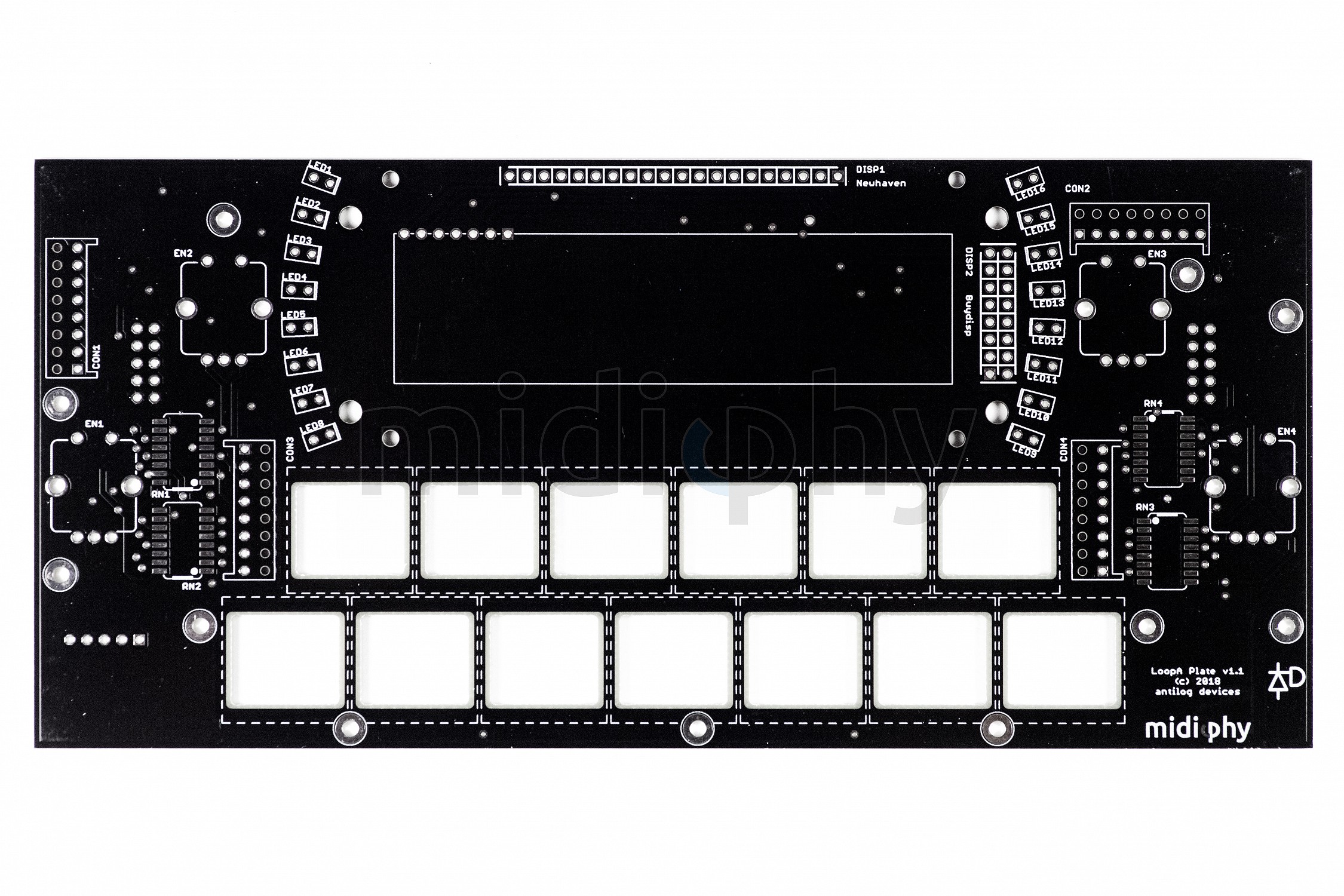
Find a few PCB shots of the three to-be-stacked and hopefully final LoopA PCBs attached:
LoopA Core PCB v1.1 - note the additional 6N138 optocoupler for a third MIDI IN (2 normal INs, one BLM) and the moved SD-Card slot that would open up an option for a nice “pro” metal case made my Adrian (with wooden sidepanels) :). But nothing confirmed, yet, just the acrylic variant for now.
LoopA Base PCB v1.1, with improved interconnectors
LoopA Plate PCB v1.1, with support for two different OLED manufacturers:
It seems you put CV/Gate Outputs Great!
Add it in the Main features list, this is an important point.
Actually only inputs are supported, you’ll need a converter to use CV/gate. In principle it could be done as all expansion headers are there. I don’t think the software handles CV and there is not much push from our side to squeeze it into the current box. A bigger unit might work.
On that point, this represents another Core with DIN MIDI onboard. We could consider other “stackable” add-ons for small synths or controllers.
* six polynote tracks linked to individual MIDI configurations
* six scenes, allowing for a total of 36 in-memory MIDI clips
Hi !
Can you tell a little more about that ? In the tracks, I choose my instruments so it’s clear, but what about the scenes ? Is it the different parts of the song, Like intro - part one - refrain - part two - refrain - part three - break - refrain - end ?
Didn’t you lost two scenes during the development, you talk about 8 scenes on YouTube I think ?
Peter can correct me if I’m wrong but the workflow is:
Clip : a recorded passage of notes (maybe data) Track : where clip data is stored. There are six tracks per scene Scene : a collection of six tracks. Mute states will also be stored, so you can build up layers dynamically.
One workflow is to copy clips onto different tracks and flick between scenes to create variation. E.g. if you wanted to drop out all of the tuned instruments and keep the drums going, then build up the parts manually by unmuting them (could also be done within a single clip). Or copy the track and transpose a perfect 5th etc.
I would say it’s not meant to be a whole DAW in a box. The idea is to use it as a quick “sketchpad” jamming tool, although Peter has come up with some very inspiring songs using not much more.
All is correct! Two scenes have been removed to be able to store more notes per scene (all is held in memory) and to allow the upper left pushable encoder to cycle between two states when pushed. The active scene switching mode is visualized with the top or bottom LED around the top left encoder.
These two scene switching modes are available:
a) (default, as before) full scene switching - when a scene is switched, sync-to-measure-start all clips from the next scene - which would often “dramatically” change what is played back, as all six tracks’ clips are launched from a new scene.
b) single track scene switching - only the clip of the currently active track is switched to a new scene. This will allow for “subtle” changes - i.e. you could progress a drum track, playing different clips from it, while the other five tracks keep playing the same clips.
These two principal modes of scene switching are necessary, as we have a mini BLM for the LoopA at least in our mental pipeline! :). It will allow direct playback access to every stored clip.
Yes it will not be a complete DAW for sure, but you can put the song in your head quickly in, test some transposition and all and, after you had the big smile on your face that say “oh yeah that’s it”, export the result in MIDI to your computer and… Don’t touch it for years because that’s how computer-daw work.