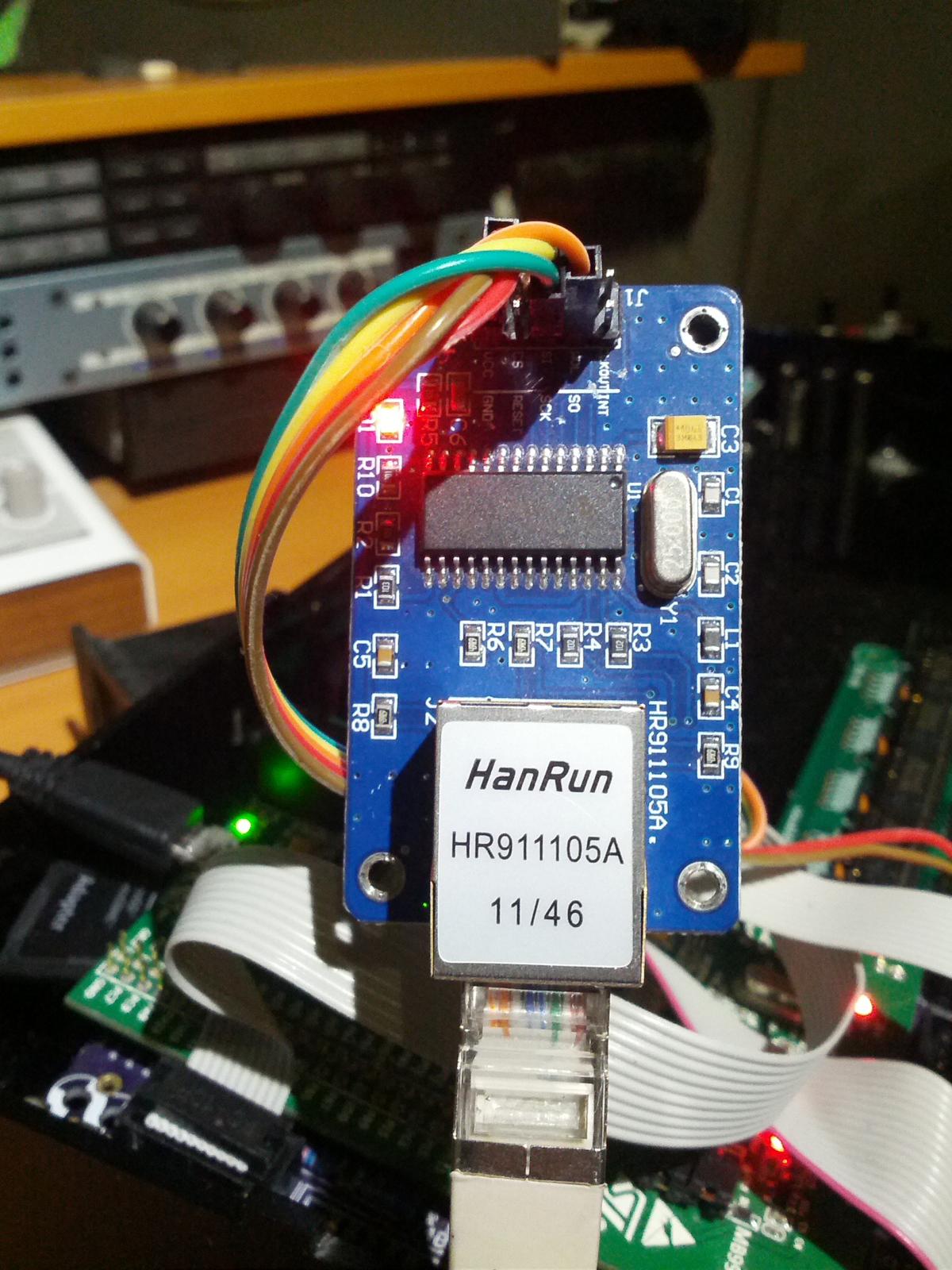
I have an STM32F4 that refuses to work with both SD & ENC28J60 ethernet modules using MIDIbox NG & CV V2.
Working: Ethernet and no SD
When I boot it without an SD inserted, the ethernet works fine:
Ethernet cable connected: yes
Ethernet MAC address: 00:39:36:30:39:31
Ethernet services running: yes
DHCP: enabled
IP address: 192.168.0.100
Netmask: 255.255.255.0
Default Router (Gateway): 192.168.0.1
Not Working: SD and ethernet together (ethernet gets disabled)
However, the moment I insert an SD card, I get various errors and the ethernet disconnects:
[MIOS32_ENC28J60_PackageReceive] glitch detected - Ptr: ff09, Status: 7fb8 (max: 05ee) cd7f
or
[MIOS32_ENC28J60_PackageReceive] glitch detected - Ptr: ffff, Status: ffff (max: 05ee) ffff
Working: SD and no ethernet
If I boot with the SD card inserted, the MAC address is recognized but the plugged-in ethernet cable isn’t detected (which could be due to another error):
Ethernet cable connected: no
Ethernet MAC address: 00:39:36:30:39:31
Ethernet services running: no
DHCP: enabled
IP address: not available yet
Netmask: not available yet
Default Router (Gateway): not available yet
When this happens, my router actually recognizes the ENC28J60 and assigns it an IP address.
Here’s my cheap-o eBay ethernet adapter:
Rowan
March 7, 2015, 6:12pm
2
Are you using RC2 for the select line of the ethernet module?
Rowan: yes, I’m definitely using RC2 - as per the MBHP_ETH schematics. I triple-checked it with my multimeter.
Here’s an odd addition:
_ Both ethernet & SD Card work briefly in MIDIbox Seq V4 _
the previous behaviour was with MIDIbox NG & CV2, however, when I use MB SEQ V4, the ethernet cable is detected for a second:
[3634559.440] network
[3634559.441] Ethernet cable connected: yes
[3634559.442] Ethernet MAC address: 00:39:36:30:39:31
[3634559.442] Ethernet services running: yes
[3634559.442] DHCP: enabled
[3634559.442] IP address: 192.168.0.100
[3634559.442] Netmask: 255.255.255.0
[3634559.442] Default Router (Gateway): 192.168.0.1
…then a few seconds later, after a glitch (SD Card being accessed?) it isn’t detected as connected when the SD card is plugged in BUT it reports that ethernet services are still running:
[3634560.552] [MIOS32_ENC28J60_PackageReceive] glitch detected - Ptr: ff00, Status: 7fb8 (max: 05ee) cc7f

[3634559.440] network
[3634559.441] Ethernet cable connected: yes
[3634559.442] Ethernet MAC address: 00:39:36:30:39:31
[3634559.442] Ethernet services running: yes
[3634559.442] DHCP: enabled
[3634559.442] IP address: 192.168.0.100
[3634559.442] Netmask: 255.255.255.0
[3634559.442] Default Router (Gateway): 192.168.0.1
However, running “set dhcp on” after this happens doesn’t work and the IP is lost.
Weird!
How do you feed power to your setup?
T.K
March 8, 2015, 9:09pm
5
Do you have a schematic for this ethernet adapter?
It could be that it has been designed for 5V based IO level, but STM32F4 is supplied at 3V
Best Regards, Thorsten.
My ENC28J60 supposedly takes in 3.3V.
I’ve tried 5V & 3V from the core and also a bench power supply sending 3.3V.
It doesn’t make a difference: they all give a “glitch detected” when the SD card is connected.
How do you feed power to your setup?
I was trying to find out how you power your setup - USB or power supply, and if so with what ratings?
I tried powering my STM32F4 core with both the USB micro and mini ports:
I gave up with this ethernet adapter and ordered this one instead as it also has a 5V input:
http://www.ebay.com/itm/New-ENC28J60-Ethernet-LAN-Network-Module-For-Arduino-SPI-AVR-PIC-LPC-STM32-/381090520292?ssPageName=ADME:L:OC:CA:3160
I’ll report back when I get the new one. I’m just going to assume the one I have now is crap.
Did you have any better result with the 5v version?