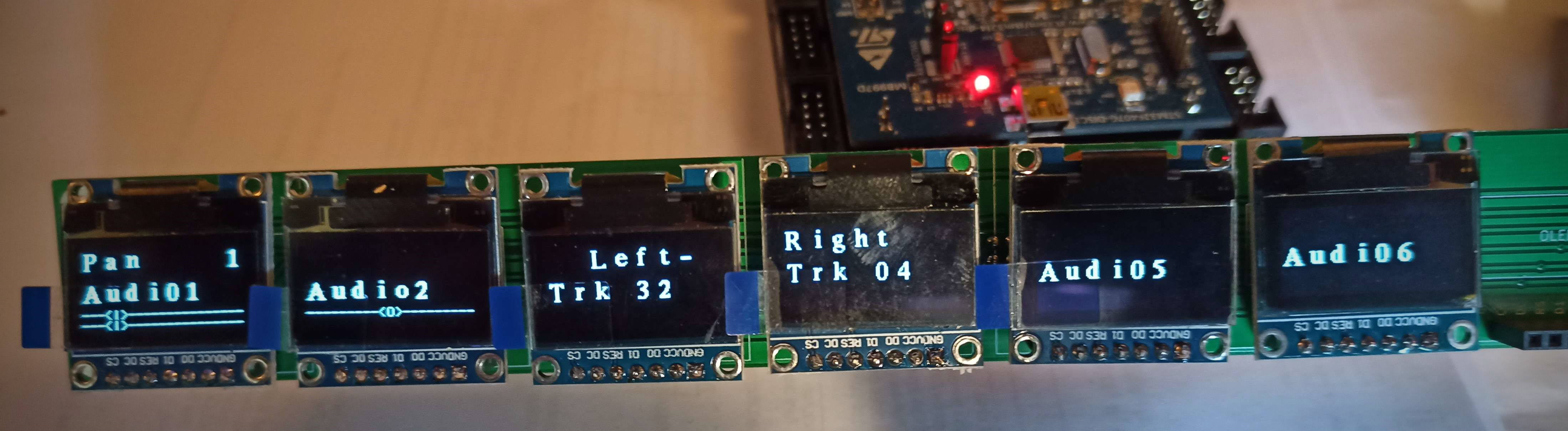
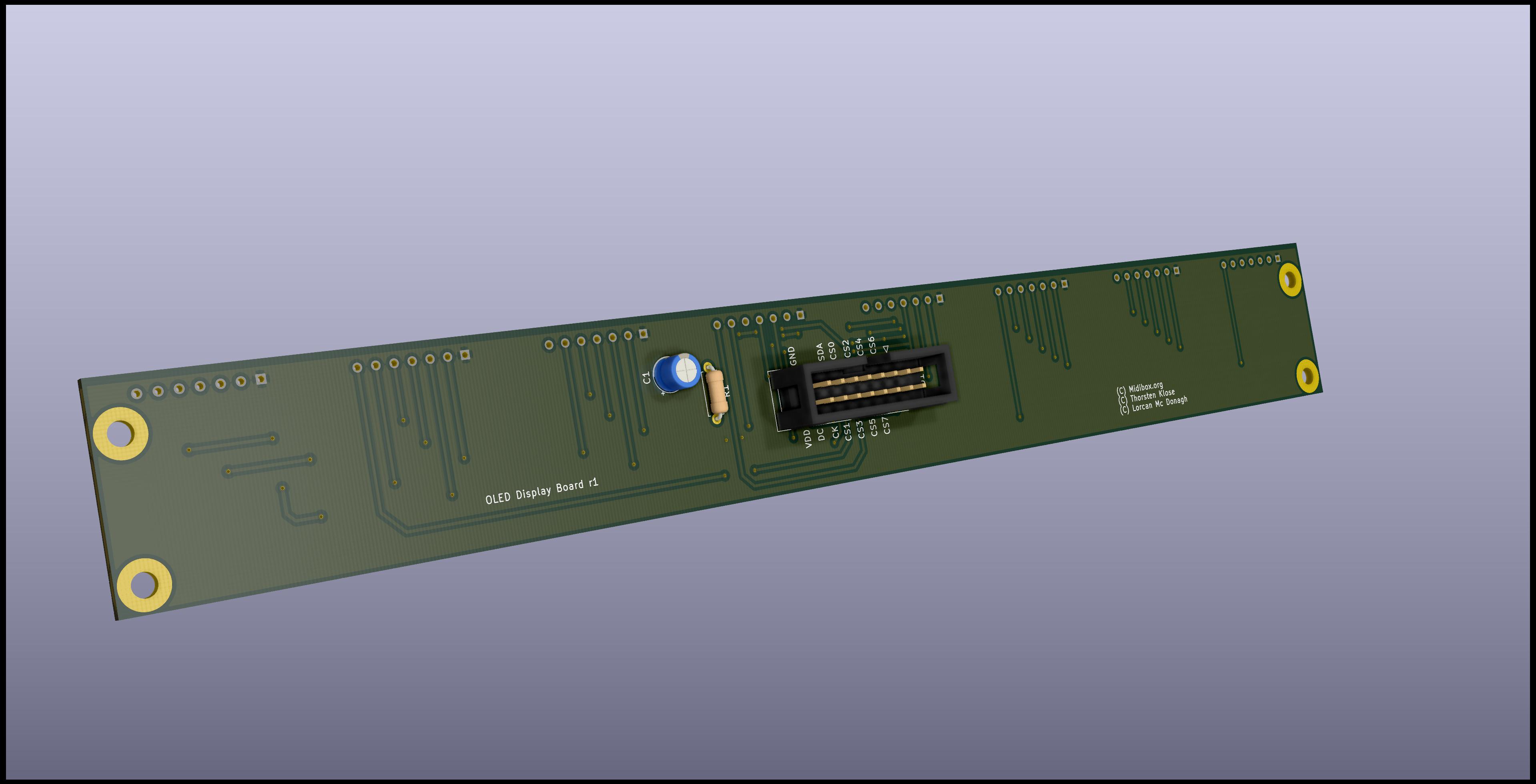
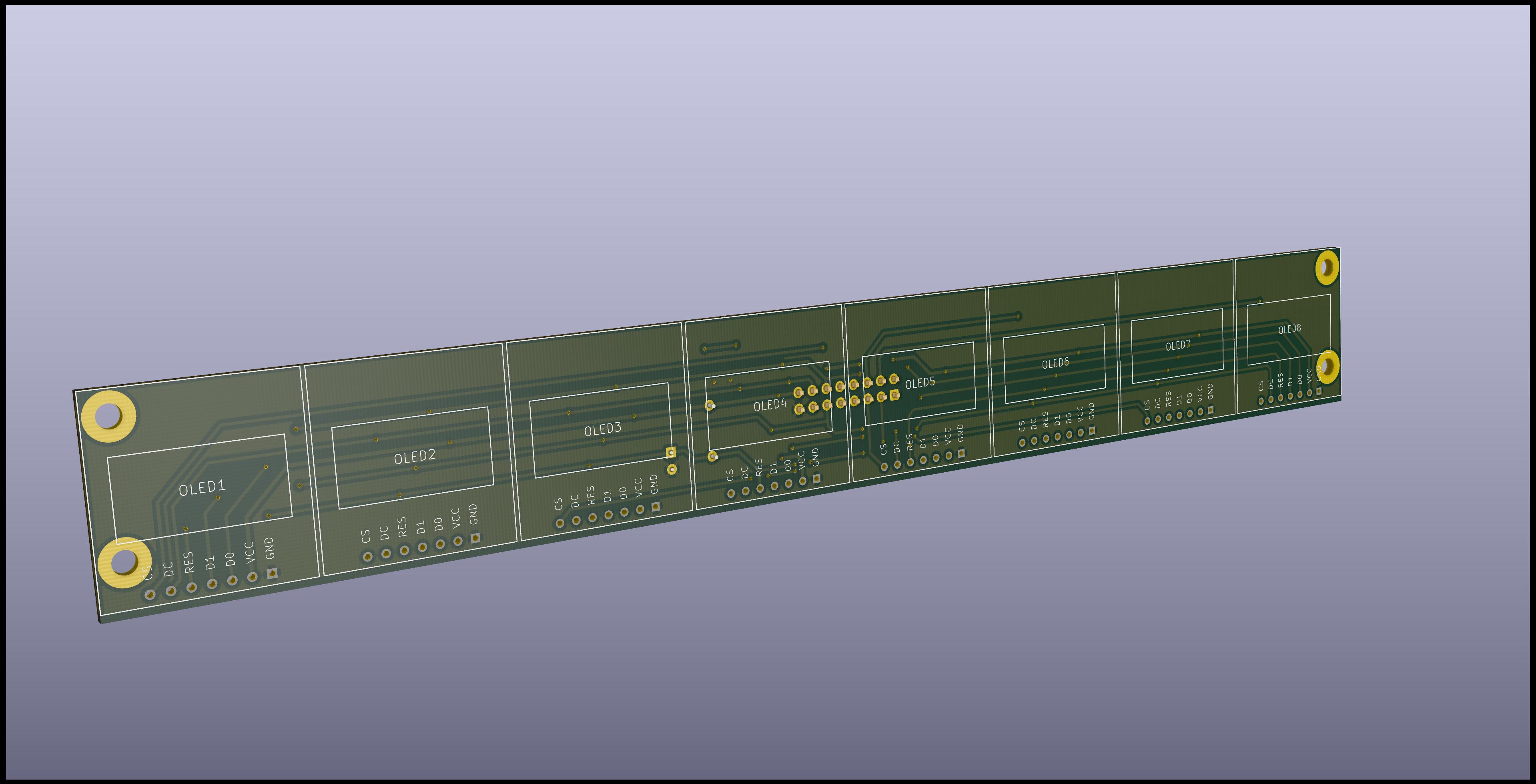
8xOLED PCB

Hi,

I’m building a MCU type controller and I’m starting to design some PCB’s for the various modules.

I’m planning to share them here so other users can use them if they want, if that’s ok.


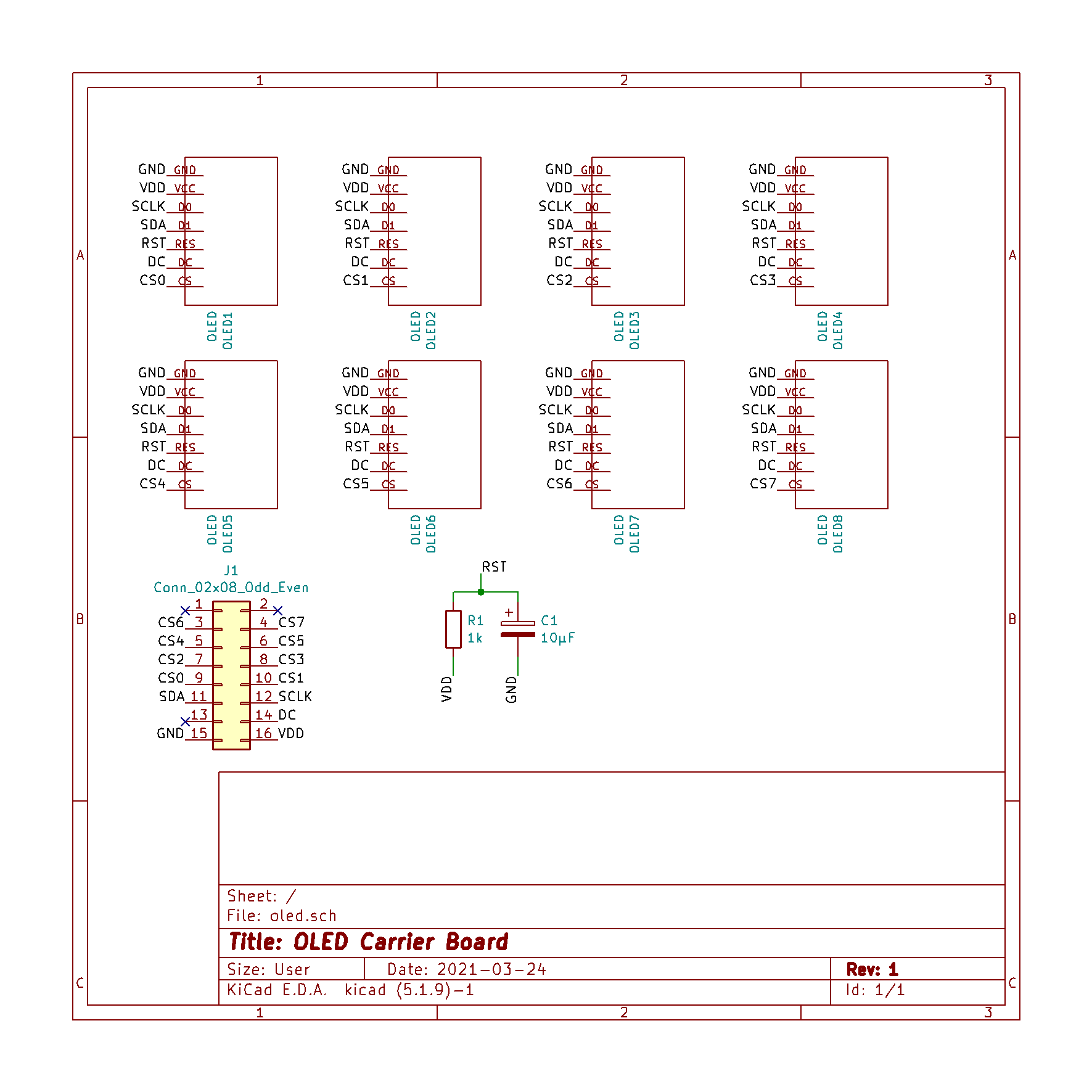
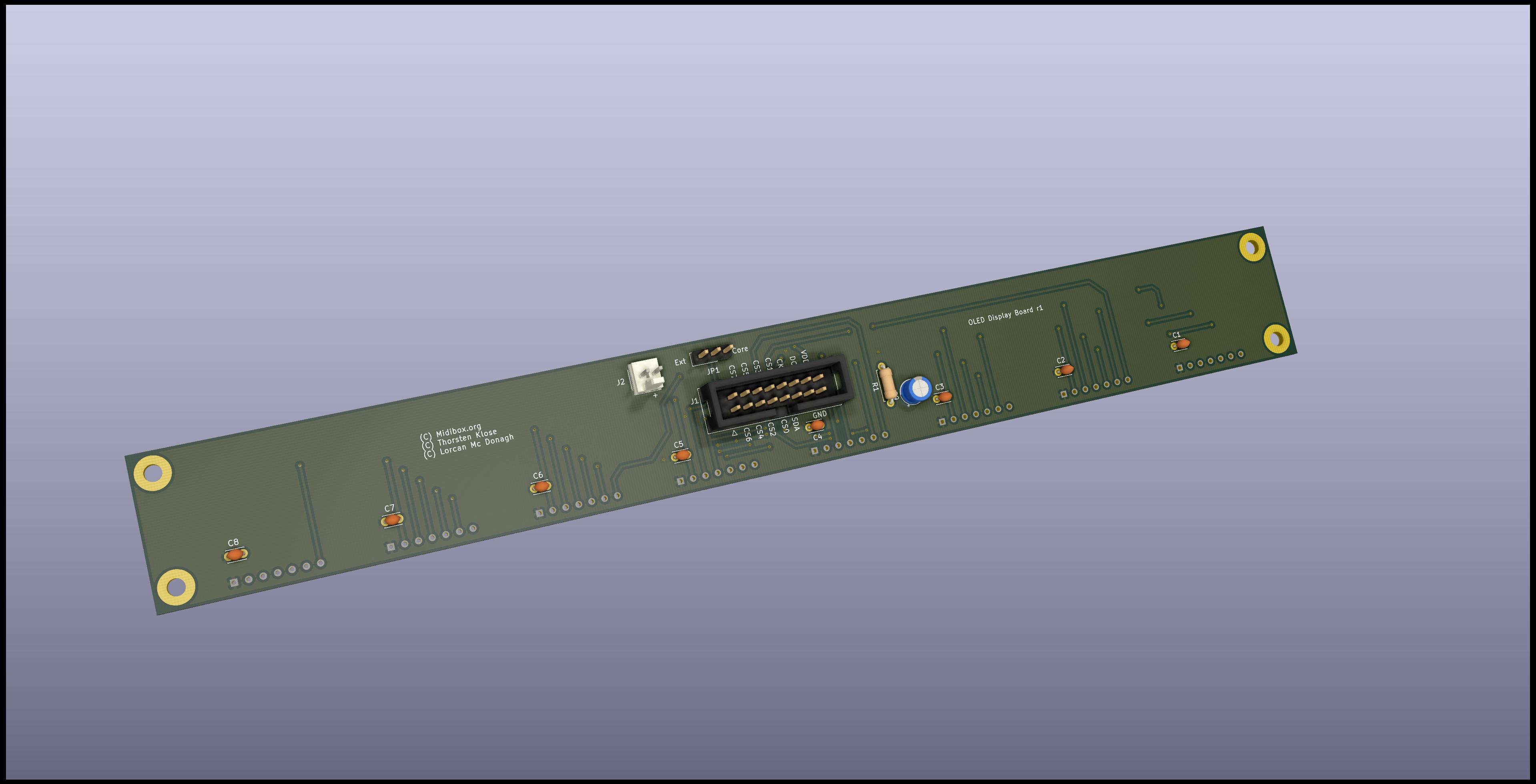
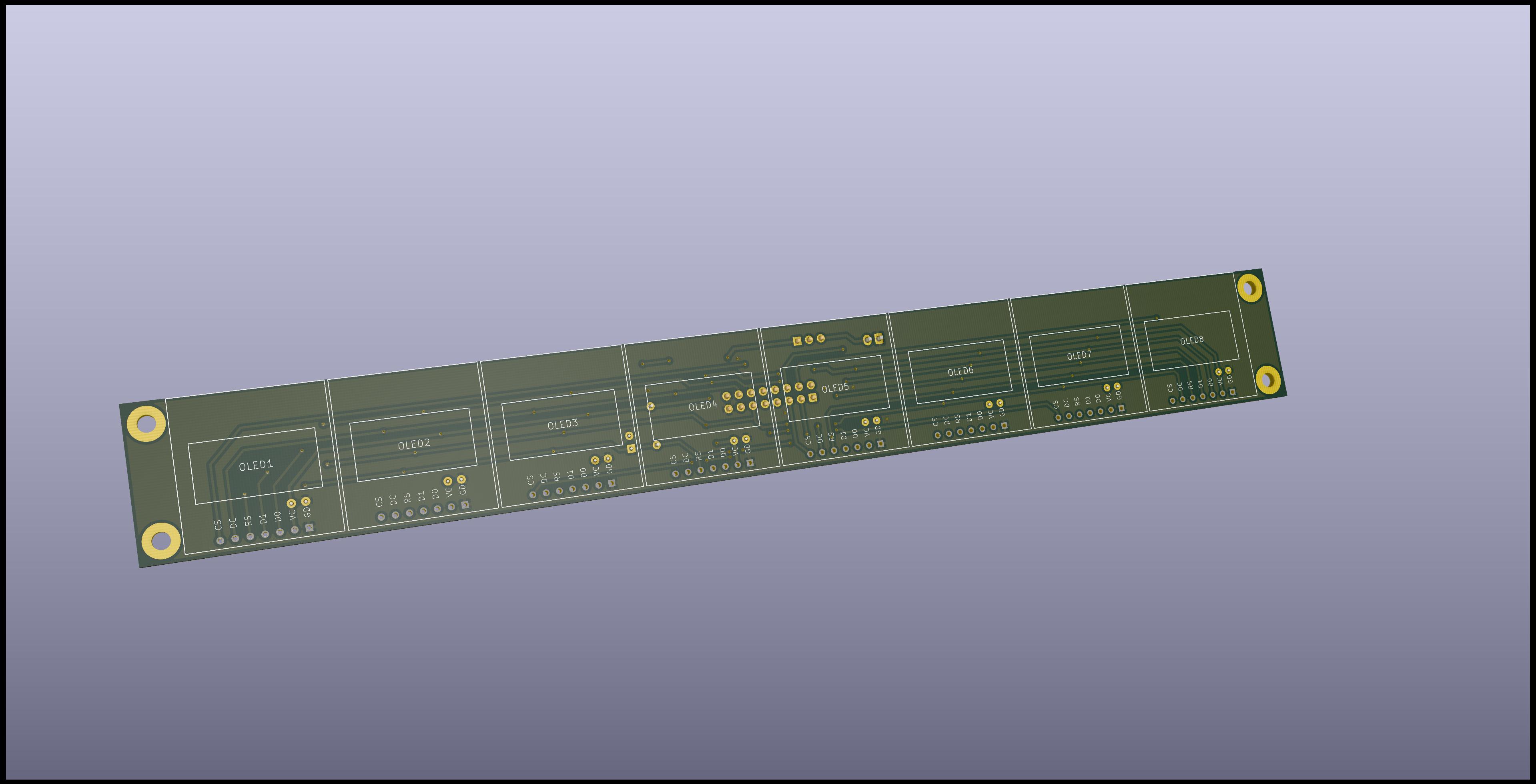
The first and simplest one is an 8xOLED carrier board to connect to J15A of the STM32F4 core.

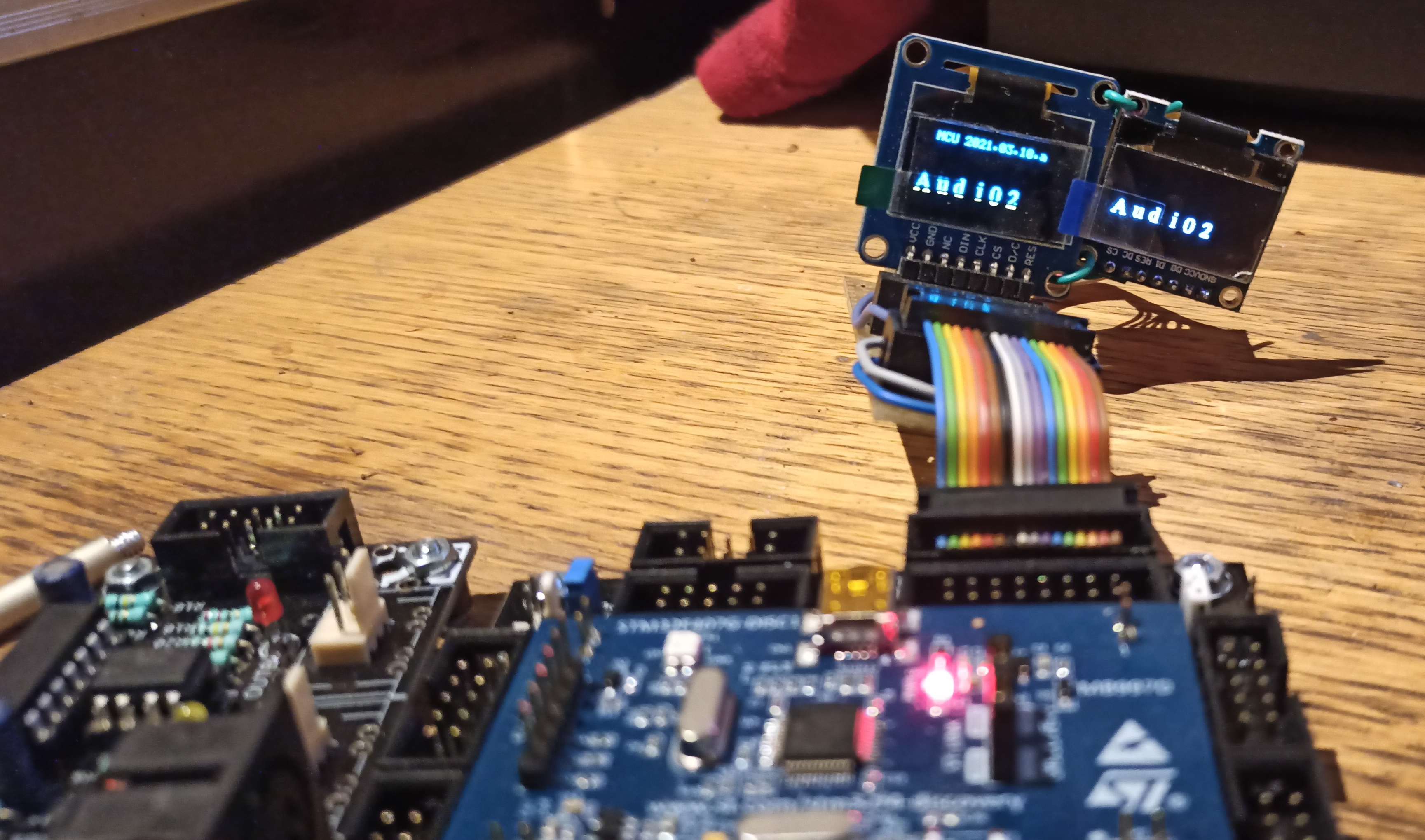
Initial tests on a breadboard with 2 screens work fine.

It is my first time using Kicad and also designing a 2-layer board, so I’d like to get some feedback before sending them to the fab house.

  • OLED’s are 0.96’’ SSD1306 4-wire SPI type
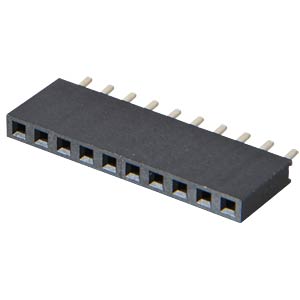
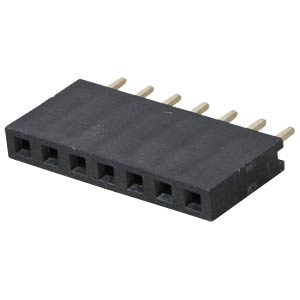
  • Mechanically the OLED’s are plugged into 1x7 sockets
  • Each ‘channel’ is exactly 1.1 inch wide. It leaves a little wiggle room between the screens,
    and should allow the case too be quite compact 
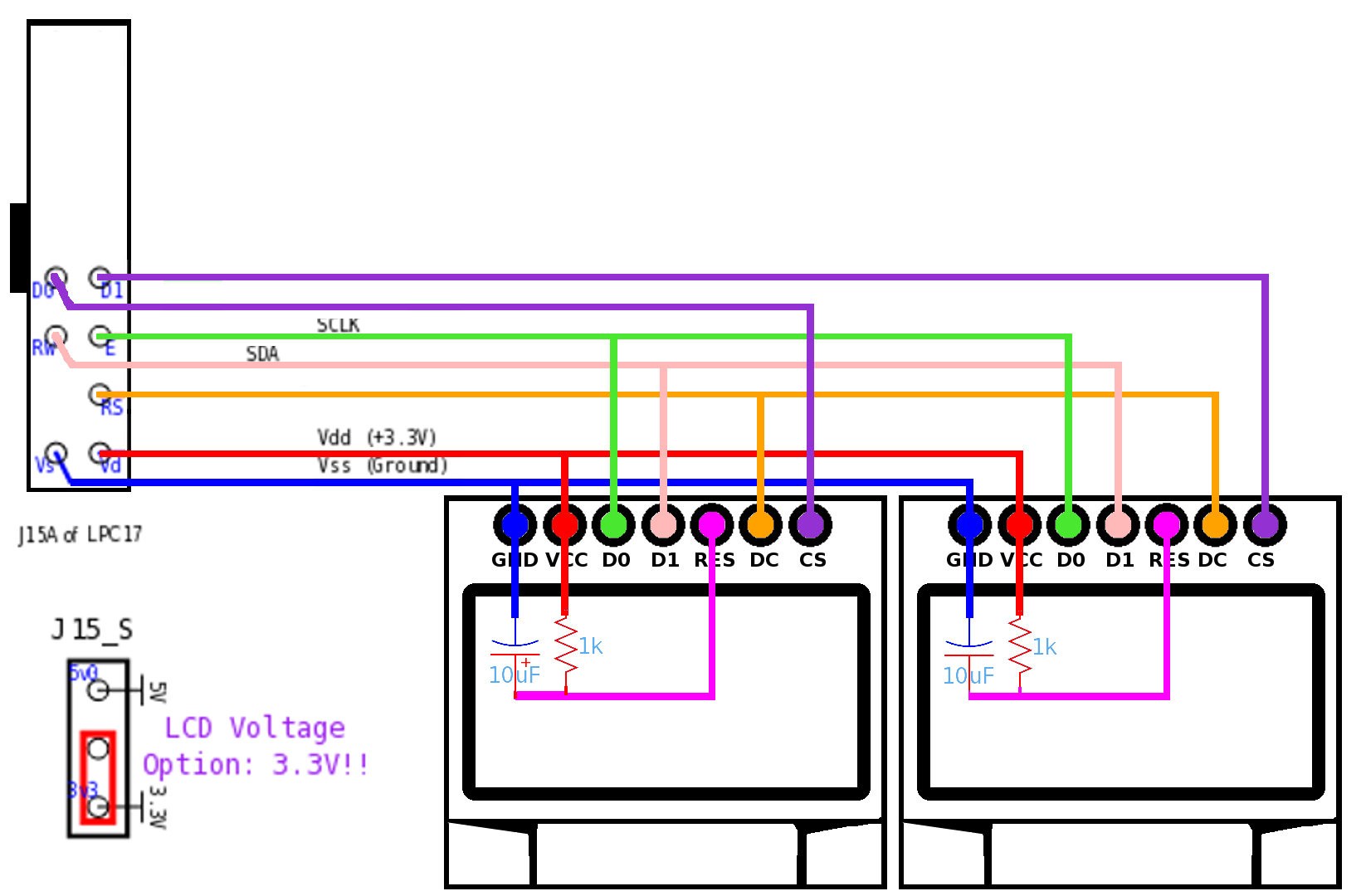
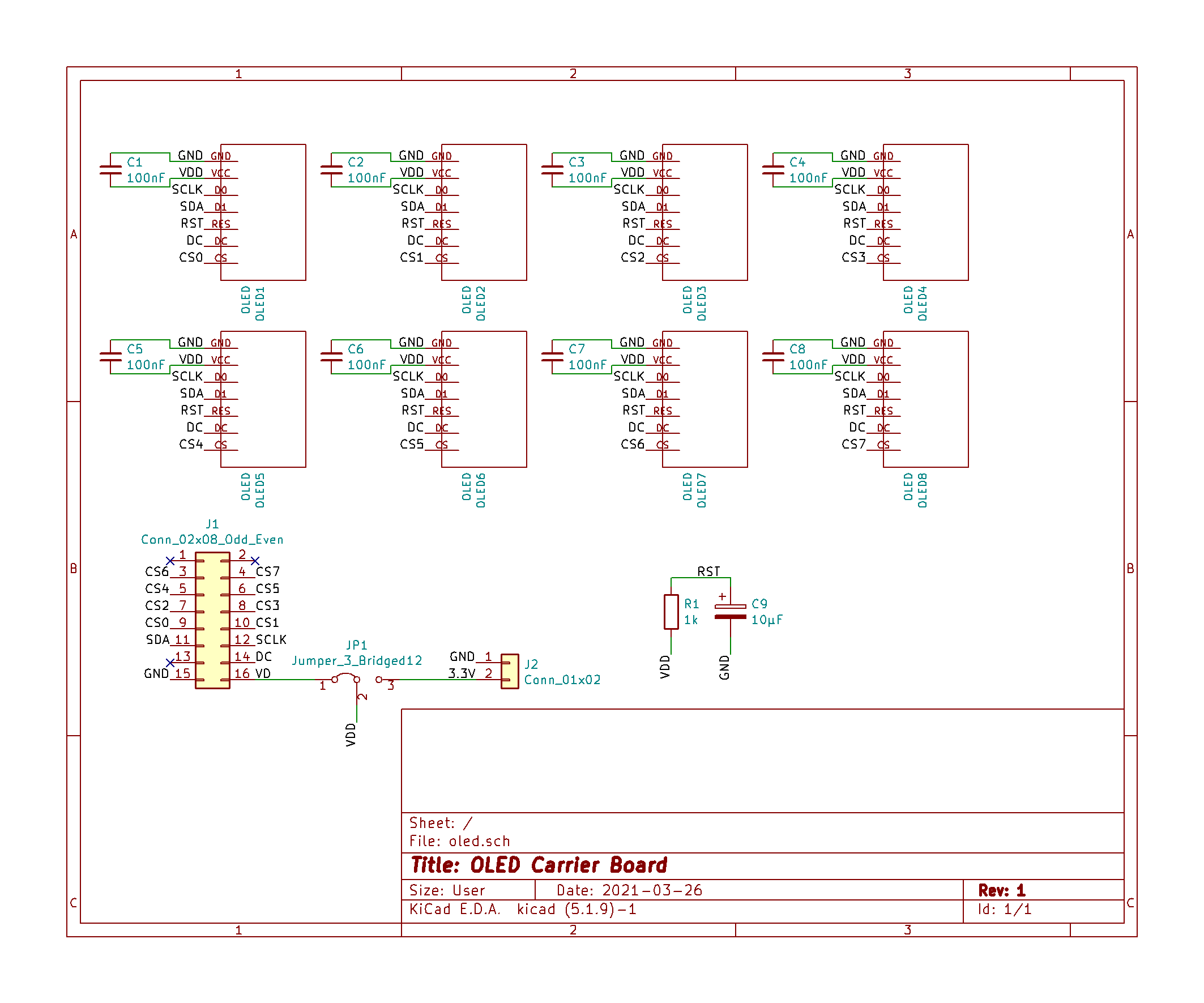
  • I remember seeing another schematic with added 100nF decoupling caps, but they’re not on Thorsten wiring diagram,
    so I’m wondering if I should add those


NOTE: I’m going to extend the board to avoid having the holes running under the OLED’s.

i think you will need a the cap and resistor on reset for every display (they told me…dont know if necessery)

15 hours ago, Phatline said:

i think you will need a the cap and resistor on reset for every display (they told me…dont know if necessery)

Thanks, but are you sure ? I distinctly remember reading saying only one is needed, at least for 8.

It looks like a simple RC cell, and I don’t think the current drain on the Reset pin would alter the time constant.

no not sure.

On another note, I looked at current consumptions of various OLED’s,

and according to this page, a 128x64 0.96” can pull 21mA at max contrast with all pixels lit.

As the STM32F4 board docs state, the integrated 3.3V regulator can only supply 100mA max.

I wonder if problems some people were having with multiple OLED’s might be related to that.

So to be on the safe side and to avoid heating the poor little SMD IC,

I’m going to add an optional on-board 3.3V regulator or input.

if height is a problem this could spare 2mm: https://www.mouser.at/ProductDetail/Hirose-Connector/MDF7-7S-254DSA55?qs=%2Fha2pyFaduiZ71eBiARkwzzUReMZP2WhzZTuqPhRayn1qNB0%2FX2TxKoytKf%2BS9gq

(not realy needett when shorten  the pinheaders of the displays by hand, and removing the header-plastic)

but maybe its whise to use standart pinheader - because of price and aviable…

..just a thought.

I’m going to use these from Reichelt which I will cut to 1x7.

They’re 0.2€ so a fifth of the price !

This way if an OLED goes dead (they do after a few years), I can replace it easily.

Found thosewhich are 1x7, even better and only 0.27€

Updated the PCB, hopefully it’s close to being ready for fabrication.

  • Added decoupling capacitors (optional, just in case)
  • Added external 3.3V option w/jumper selection
  • Cleaned up traces etc

I’ll put all the files on github when I’ve confirmed everyhting works as intended.


Nice Work. I did same once. See: http://wiki.midibox.org/doku.php?id=fadercore_-_vlr-8odisp

i think i have some pcb still laying around. 

On 3/30/2021 at 12:42 PM, novski said:

Nice Work. I did same once. See: http://wiki.midibox.org/doku.php?id=fadercore_-_vlr-8odisp

i think i have some pcb still laying around. 

Thanks ! Yes I’ve seen your work too, very impressive !

I want to make my own boards so I started with the simplest PCB to learn KiCad. It’s quite a wonderful piece of software,it has evolved a lot since I last tried it. And it’s looking even better in the upcoming version 6.

I’ve sent the PCB for fabrication yesterday, let’s hope I didn’t make any stupid mistakes !

First test, everything seems in order !

The 3.3V LDO on the core board is a little hot, I’ll probably use external power for this.

in the meantime i also have expirience with 9x OLEDs here with 3 reset circuits — good to know that one is enough - thx!


really hot?

i use 9x OLED-LCDs and a 2x16x16 LED matrix on one core - have no problems here - so far… but i also implemented a “screensaver” in my app, that turn of all UI when nothing is touched for 4 minutes… (thought of dead Oleds and dark BLM-Leds . in far future…)


1 hour ago, Phatline said:

really hot?

i use 9x OLED-LCDs and a 2x16x16 LED matrix on one core - have no problems here - so far… but i also implemented a “screensaver” in my app, that turn of all UI when nothing is touched for 4 minutes… (thought of dead Oleds and dark BLM-Leds . in far future…)

It’s not that hot, but I only have 6 screens connected atm.

The regulator on the core is rated at 100mA absolute max and it’s a tiny SOT23 part, so it could become a problem if people use fonts with lots of lit pixels. 

This page quotes as much as 40mA consumption in certain scenarios !

And for general reliability it’s better to keep things running cool :wink:

The screensaver is a great idea, the life of these things is a few years at most and I’d prefer not to replace them that often. May I ask how you implemented that ?

1 hour ago, Lorcan said:

The screensaver is a great idea, the life of these things is a few years at most and I’d prefer not to replace them that often. May I ask how you implemented that ?

with mios:


on every input (button press) of a UI-Task (DIN_BLM, DIN, ENC,) except of AIN (to much datamess when faders are going bad…)
i reset the energy-save timer (4minutes for example) to 0… looking like this:

void DIN\_BLM\_NotifyToggle(u32 pin, u32 pin\_value){ // Wakeup the Energy-Saver (BLM+LCD) // if it is in save-mode then dump out normal LCD-Labels if(flag.energy\_save == 1){ flag.energy\_save = 0; flag.clear\_LCD0 = 1; flag.clear\_LCD1 = 1; flag.clear\_LCD2 = 1; flag.clear\_LCD3 = 1; flag.clear\_LCD4 = 1; flag.clear\_LCD5 = 1; flag.clear\_LCD6 = 1; flag.clear\_LCD7 = 1; flag.clear\_LCD8 = 1; Router(5,0,0,0); Router(7,0,0,0); Router(99,0,0,0);} flag.energy\_reset = 1; flag.energy\_save = 0; flag.energy\_lcd = 0; flag.energy\_blm = 0; flag.energy\_led = 0; ... normal UI things... }


in the low priority task"App Background" it is steady counting until 4000seconds are gone… then activate the Energy-Save.. like this:

void APP\_Background(void){ // Screen & LED - Energy Saver // reduce rate static int e\_rate = 0; e\_rate++; if(e\_rate \> 1000){ e\_rate = 0;// reset counter 1000 ~= 1second static int e\_cnt = 0; if(flag.energy\_reset == 1){ flag.energy\_reset = 0; e\_cnt = 0; } if(flag.energy\_save == 0){ e\_cnt++; } if(e\_cnt \> Screensaver\_time\_sec){ e\_cnt = 0; flag.energy\_save = 1; flag.energy\_blm = 1; flag.energy\_lcd = 1; flag.energy\_led = 1;Router(5,0,0,0); }// Update BLM} // turn of BLM and LCD //MIOS32\_MIDI\_SendDebugMessage("e\_cnt: %d save: %d blm: %d", e\_cnt, flag.energy\_save, flag.energy\_blm); } }


then i made a rtos task (LCD(void…) … on low priority… where all my LCDs are handled…

in energy-save mode: print “spaces” aka clear screen - 1time > instead of update and handle (flags…) normal LCD/menue things…

static void LCD(void \*pvParameters) { portTickType xLastExecutionTime; xLastExecutionTime = xTaskGetTickCount(); while( 1 ) { vTaskDelayUntil(&xLastExecutionTime, 10 / portTICK\_RATE\_MS); // Energy Saver - CLEAR SCREENS if(flag.energy\_save == 1&& flag.energy\_lcd == 1){ flag.energy\_lcd = 0; // kill flag MIOS32\_LCD\_FontInit((u8 \*)fnt\_BIG);// use big custom font MUTEX\_LCD\_TAKE; MIOS32\_LCD\_DeviceSet( 0 ); MIOS32\_LCD\_CursorSet(0, 0); MIOS32\_LCD\_PrintFormattedString(" "); // aka CLEAR SCREEN MIOS32\_LCD\_CursorSet(0, 1); MIOS32\_LCD\_PrintFormattedString(" "); MIOS32\_LCD\_CursorSet(0, 2); MIOS32\_LCD\_PrintFormattedString(" "); MIOS32\_LCD\_CursorSet(0, 3); MIOS32\_LCD\_PrintFormattedString(" "); MUTEX\_LCD\_GIVE; } }


in normal operation the LCD-task do such things..:

static void LCD(void \*pvParameters) { portTickType xLastExecutionTime; xLastExecutionTime = xTaskGetTickCount(); while( 1 ) { vTaskDelayUntil(&xLastExecutionTime, 10 / portTICK\_RATE\_MS); // Energy Saver - OFF AND There is no Temporal Message showing (2 seconds...) if(flag.energy\_save == 0&& flag.Update\_LCD\_s == 0){ if(flag.clear\_LCD8 == 1) {// Menue LCD flag.clear\_LCD8 = 0;// kill Flag /// MENUE //////////////////////////////////////////////////////////////////////////////////////////////////////////////////// // Beat Name - SHOW and EDIT if(Menue== 0){ MUTEX\_LCD\_TAKE; MIOS32\_LCD\_DeviceSet(8 ); MIOS32\_LCD\_FontInit((u8 \*)fnt\_BIG);// use big custom font MIOS32\_LCD\_CursorSet(0, 0); MIOS32\_LCD\_PrintFormattedString(" ");// clear MIOS32\_LCD\_CursorSet(0, 1); MIOS32\_LCD\_PrintFormattedString("%c%c%c%c%c%c%c%c", beat.name[0],beat.name[1],beat.name[2],beat.name[3],beat.name[4],beat.name[5],beat.name[6],beat.name[7]); MIOS32\_LCD\_CursorSet(0, 2); MIOS32\_LCD\_PrintFormattedString(" ");// clear MIOS32\_LCD\_CursorSet(0, 3); MIOS32\_LCD\_PrintFormattedString(" ");// clear MIOS32\_LCD\_CursorSet(cursor,2); MIOS32\_LCD\_PrintFormattedString("^");// show CURSOR MIOS32\_LCD\_FontInit((u8 \*)GLCD\_FONT\_NORMAL);// use tiny font MIOS32\_LCD\_CursorSet(0, 0); MIOS32\_LCD\_PrintFormattedString(" Beat Name %d", Menue); MIOS32\_LCD\_CursorSet(0, 7); MIOS32\_LCD\_PrintFormattedString("cursor letter"); MUTEX\_LCD\_GIVE; } ..... }


i do that also for LEDs and the BLM…


about Hottnes… thx for tip… i will also implement a Vreg in now… not that it dies when i am in a great jam…
Thanks, I’ll incorporate this idea when I’m done with all the rest.

I don’t think I’ll do it for the LEDs though, I’ve yet to see one of those fail on me. These things are incredibly enduring, provided you use reasonable currents.
For the 3.3V, I’ll be using this 3€ DC/DC part, it hardly dissipates any heat unlike linear regulators.

Found a problem: the 8th display is always garbled.

I’ve tried swapping the OLED’s, adding 100nF decoupling caps, stuffing only one, swapping cores, using a separate breadboard with only CS7, 3.3/5V, haven’t managed to fix it yet :frowning:

I hope the external 3.3V supply will get rid of this …

you removed all Solder-Flux? (Aceton…)  (i always have problems with that low-impedance Shit (<1K! between to pins because of some flux…)


by swapping cores you mean the whole Motherboard and Discovery?       if only discovery > try to replace that 595er…


send a picture of that “garbled” — if it looks like noise then you may not set the Displays right (bootloader-app > help > displays num x and y… maybe one to less?)


else post a board picture (with top and buttom layer in one…) may there is something you dont see…

Looking at the core schematic, I see CS7 is connected to both Q7 of the 74HC595 and PD7 of the STM32F4, whereas CS0-CS6 are connected only to Q0-Q6 of the 74HC595. 

If PD7 is also an output pin, I wonder if PD7/Q7 could be interfering with eachother ?

dont think that is the right trace…but

PD7 by looking on the Shematic   is only for the Display…   but i dont know why?  may it is needet for a special LCD?  or some feedback/control/detection routine? (GPIO as input?)


i would try to upload the bootloader app, and look if you can see anything on LCD8 — i too have a discovery board with latest bootloader and 9 LCDs and on my machine everything is alright > so we can cancel out a mios/bootloader-PD7 problem

but PD7 could be buggyerwise set as gpio out in your App you have on your machine (NG?)