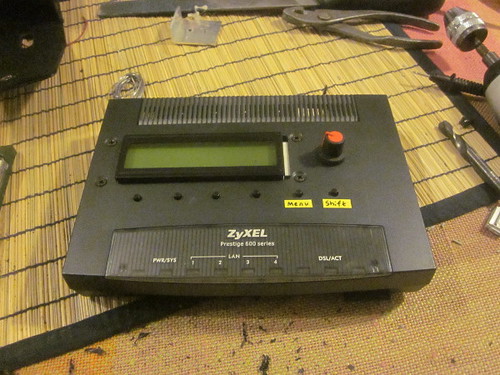
As I understand it, MIDIO128 was designed for the control of mechanical instruments, from my own experience, I ended up using just the DOuts so being able to record via Dins would take the application to a new level of completeness, perhaps it’s at 14 now!
Adding lyrics, tempo and key change would match any other application/product currently available so why not?
That said, I too am beginning to think that the file player could well be a solo application, what about MIDIBox Karaoke?
File player as above, but with the ability to turn off/on individual channels to MIDI Out ports by pressing a switch with corresponding LED. For what I’m planning, Outs 3 & 4 would be perfect
Core, LCD, SD Card, SCS, 2 DOuts x 4 and 2 Dins x 4?
Re-reading the entire thread from the player perspective: lyrics, tempo and key changes, a loop function, a filter/routing function, I see a lot of possibilities.
From a first, yet functional and small midi player (Core, LCD, SD Card, SCS) with lyrics, tempo and transpose functions.
Toward even more hypothetical (not being a programmer I can only suppose :sad: ) advanced configurations where for example with a button matrix it would be possible to recall snapshots of different settings of more advanced functions like loop points and routing.
Toward even more hypothetical (not being a programmer I can only suppose :sad: ) advanced configurations where for example with a button matrix it would be possible to recall snapshots of different settings of more advanced functions like loop points and routing.
we are looping to MBSEQ V4 where something like this could be added
Today I implemented the MIDI recorder part - it’s up & running!
MIDIO128 V3.011 (pre1)
~~~~~~~~~~~~~~~

o It's now possible to record MIDI files!
Press EXIT + first softbutton (under REC)

o Fast Forward and Fast Rewind are now available by pressing EXIT
[/code]


It's currently not possible to set the tempo, we are always recording at 120 BPM in master mode, and at the incoming tempo in slave/auto mode.


Best Regards, Thorsten.
I tried your beta test V3_011_pre and it records beautifully. As it is recording it outputs a message like OUT2:91??? which is displaying the last command that was received. Along with the message flashing REC on the display which is great but shouldn’t the OUT2 message say IN2 since the data is being received from the input port? When I record on Midi IN port 1 is shows OUT1 port.
Something else happened that locked up the MidiBox has to do with the file system processing. I am not sure how I got it into this mode and don’t know if what I am going to tell you is 100% correct as to the sequence, but here goes anyway. I recorded 3 files called REC1.mid REC2.mid and REC3.mid. Because I reused an SD card with other files on it, it placed the REC1 file at the head of the directory table and REC2 and REC3 as the last ones. This isn’t the problem in fact I understand why this happens. But after I recorded the REC3 file, it played back fine but when it was in the STOP mode I could use the > and < functions and display all 3 files in sequence. I could go between the 3 files multiple times even though REC1 was at the beginning of the list and REC3 was at the end. If I tried to back up too far and display some of the other files in the directory, the display just locked up and I had to do a POR to get it back again. I don’t know if I can duplicate this again, just that it happened.
I know that the original player outputs its data to all ports when playing. Was it in the plan to add both the REC and PLAY options to the Router tables so that you can select the patches? I can only assume it is since there was talk about masking channels from the playback function.
Something else I don’t understand is the “Def.†selection in the “Rout†tables. All I can think of is that it stands for “Define†and when selected, the table entry is not used. Is this the case?
Another question also has to do with the “Rout†function. I was wondering why there is a 2nd “Chn.†entry following the last “SrcD†entry. I would think that only the first channel value would be needed?
I know I am getting a little anal here but when I first read about the router entries, it confused me with the names of ScrP and SrcD. I would have thought that the SrcD field would have been labeled something like “Dest†for destination.
MIDIO128 V3.011pre2
~~~~~~~~~~~~~~~~~~~
o rotary encoder now selects the tempo (BPM) in main page
o BPM mode can be switched between Auto/Master/Slave by pressing
shift button + soft button 2
o MIDI recorder: tempo now stored in MIDI file
o record event monitor: display input port name instead of output port name
o record event monitor: display "DIN" instead of "Def"(ault) when DIN
generated events are recorded
o only in this pre2 release: whenever the next/previous file is selected,
the searched files are listed in the MIOS terminal
o MIDI router config: renamed SrcD to DstP
[/code]
> Something else happened that locked up the MidiBox has to do with the file system processing.
I wasn't able to reproduce this.
But in this pre2 release I enabled some additional debug messages for the file selection: the searched files are listed in the MIOS terminal.
So: if it happens again, please show me the terminal logfile
> Something else I don't understand is the “Def.†selection in the “Rout†tables. All I can think of is that it stands for “Define†and when selected, the table entry is not used. Is this the case?
Def. stands for "Default" - actually this is a free assignable port (normaly USB1, but could also be MIDI1 or MIDI2)...
This feature isn't configurable in MIDIO128, but I could enable it in future.
One of the usecases: if you've two MIDI synths connected to OUT1 and OUT2, and only one of them should receive MIDI events from multiple INs, you could assign the default port to this OUT and change the default port assignment at a single place in order to select the synth. The router configuration doesn't need to be changed in this case.
> I know that the original player outputs its data to all ports when playing. Was it in the plan to add both the REC and PLAY options to the Router tables so that you can select the patches? I can only assume it is since there was talk about masking channels from the playback function.
No the REC/PLAY port and channel selection won't be available in the MIDI router page, as this feature is based on a "plugin" which doesn't allow extensions.
Instead, I will add a new configuration page to the MIDI menu.
All other issues fixed (see changelog) - even the minor ones (I'm always interested on unexpected or confusing names)
Best Regards, Thorsten.
Based on how may responses you are getting on your new features Thorsten, it looks like I am the only one with a unit to test them. Or maybe the interest isn’t there. I don’t know if this is very good since I would want more feedback about how it works which I don’t think we are getting.
All of the following relates to the Midio128 V3.011pre2 build.
I wonder if I found what happened with the Midio128 unit locking up. But it doesn’t seem to be anything that I said in my previous message. To lock it up just pop the SD memory card out of the slot and start the record function. The software locks up tight every time. I know I did some of this testing on the previous release but I didn’t relate it to locking up for some reason.
I also noticed that you added code that when backing up in the file structure that you loop back to the last entry. This was only working when going forward on the previous release but it is now much easier to get to the last file that was recorded on the card under POR conditions. I wasn’t going to even mention this but thanks, it work great.
I don’t know if this is a issue or not but when I remove the SD card and then insert it again, the software doesn’t seem to reset back to the first file. I don’t see this as a problem since it just seems to work properly, even if I change cards. But was wondering what would happen if it was pointing to a file and I popped the SD card and made changes with a PC that included removing or changing that file entry. It would seem like you have some fairly complicated software to make sure that things didn’t get mixed up but I just don’t know. Just wondering if this is an issue that might be a bug in the future.
I noticed that when I get to recording file names that are displayed as REC10.MID or larger, that the file pointer on the right side of the display starts jumping left and right on the display since the file string being one character longer. This is seen when the display is alternating between the “*RECORDING* 15. 5†message and the “REC10.MID 15. “ message. The last character in the field is going past the last character on the display. Not a big issue but its there.
I am surprised at the amount of functionality that has been added to the TEMPO feature. I was expecting something simpler like always recording at a 120 BPM rate and only being able to change it when playing back a file. But what we have is something that I guess might be found in a real Midi studio player/recorder. BTW-I don’t know much about these features since I have never needed them or used units that could even function with them. Things like if I set it to SLAVE mode, it doesn’t play the song at all. I think it is just waiting for a train of Midi “Timing Clocks†(0xf8) to be received to define the tempo. And MASTER mode probably sends the 0xf8 command based on the current TEMPO knob settings (as a guess but not verified). I also noticed that when cycling thru the BPM modes, it takes 2 pushes of the button to move out of AUTO mode.
I don’t know now many people will use these different modes of AUTO, MASTER, and SLAVE but it seems like over-kill to me. I’m not even sure what AUTO mode does. I would probably want a tempo mode to ignore any 0xf8 commands and never send them and would set the BPM selected rate at the start of the record session and never modify it since it inversely affects the BPM rate when played back. On play back have the tempo set to the parameter in the Midi header, like it does now, but allow the user to change the tempo from the encoder knob while playing. Maybe this could be a 4th mode called Manual?
Based on how may responses you are getting on your new features Thorsten, it looks like I am the only one with a unit to test them. Or maybe the interest isn’t there. I don’t know if this is very good since I would want more feedback about how it works which I don’t think we are getting.
For what it’s worth, I hope I’ll have a unit running this weekend, I just need to put the enconder + buttons on it, and that’s it. I’ll then test the firmware at least concerning the functions I have planned using.
Ditto, all my LPC stuff has been in bits whilst it was moved to a new enclosure, I then got the man flu and am currently in bed wishing I could stop coughing for long enough to put it back together.
Have loaded the application so it won’t take long when I do recover.
For what it’s worth, I hope I’ll have a unit running this weekend,
This is great. And Sparx, hope you are feeling better soon. Good to see some action about testing this thing rather than just posting wish list dreams.
I finished my build 30min ago and tested a midi file I have been making for band practice background and which I exported from Rosegarden. It works just like when Rosegarden is feeding the midi data into the synths! Just what I was looking for. TK better prepare for a beer.
As to testing, obviously I haven’t had too much time for that yet, but when I was testing the Rewind / Fast Forward function, I noticed that when you try to FF beyond 35 bars, the song starts from the beginning.
Before further testing I’ll have to read the user instructions carefully (as far as midi file playing is concerned), I’ll do that on the weekend.
MIDIO128 V3.011pre3
~~~~~~~~~~~~~~~~~~~

o application doesn't hang-up anymore if recording is enabled while
no SD Card connected

o first MIDI song already selected after boot

o play modes: aside from All and Single, we've now also a "Loop" mode
which repeats the selected song

o a fourth clock mode has been added: "Lock". It prevents tempo changes
from the MIDI file. The BPM generator is always in master mode.

o the "MIDI" page has been renamed to ".MID"

o if you scroll the .MID page to the right side, you will find configuration
options for MIDI ports assigned to the Rec/Play/Clock IN and Clock OUT functions

o all new options can now be stored/restored into/from .MIO files
[/code]


> I wonder if I found what happened with the Midio128 unit locking up.


(hopefully) fixed.


\> I also noticed that you added code that when backing up in the file structure that you loop back to the last entry.


Yes, sometimes I'm doing undocumented changes :)


\> I don't know if this is a issue or not but when I remove the SD card and then insert it again, the software doesn't seem to reset back to the first file.


fixed. Now the first .mid file will be selected (also after power-on)


\>I noticed that when I get to recording file names that are displayed as REC10.MID or larger, that the file pointer on the right side of the display starts jumping left and right on the display since the file string being one character longer.


fixed.


\> I am surprised at the amount of functionality that has been added to the TEMPO feature. I was expecting something simpler like always recording at a 120 BPM rate and only being able to change it when playing back a file.


Tempo can now be locked with the fourth MIDI clock mode option


\>don't know now many people will use these different modes of AUTO, MASTER, and SLAVE but it seems like over-kill to me.


From my point of view the MIDI clock synchronization features are one of the highlights! ;-)


- Master mode: use it if a groove box, drum machine or even a MBSEQ V4 is connected to a MIDI Out to synchronize the .mid file with such a device


- Slave mode: same, but in the opposite direction. In addition, slave mode is the preferred choice if you want to synchronize the MIDI player with a DAW running on your computer


- Auto mode: automatically switches between Master and Slaves (whenever a clock is received, it switches to slave mode)


- the new Lock mode: Master mode selected, Tempo only controlled from control surface


> Ok thanks for the clarification. I guess it's up to you to decide whether to implement a separate loop function, I'm happy now as it turned out that SINGLE plays the selected song only once, i.e. without loop.


implemented.


> Have loaded the application so it won't take long when I do recover.
>
> Does this application output to MIDI Out 3 & 4?


OUT3 and OUT4 are currently disabled due to the reason, that somebody requested to enable all J5 pins for analog pots (AIN entries).


MIDI3 would allocate J5 pins as well, so we've a conflict here.


I could enable MIDI4 (at J4B), but fear that users would be confused about the non-working MIDI3.


Therefore I'm still searching for a solution to make the configuration as fool-proven as possible (so that somebody doesn't run into unnecessary HW troubleshooting sessions if he isn't aware of these dependencies)


Probably the most simple way would be to provide only 6 AINs, and to assign J5B.A6/7 to MIDI3 by default


> I finished my build 30min ago and tested a midi file I have been making for band practice background and which I exported from Rosegarden. It works just like when Rosegarden is feeding the midi data into the synths! Just what I was looking for. TK better prepare for a beer.


Cheers!


> As to testing, obviously I haven't had too much time for that yet, but when I was testing the Rewind / Fast Forward function, I noticed that when you try to FF beyond 35 bars, the song starts from the beginning.


The MIDI player is probably in 'All' mode, which automatically loops through all .mid files.


If only one .mid file is stored on SD Card, it will play the same multiple times.


Just enable Sngle Mode


> BTW here's my build :-)


Great! :)


(my very first MIDIbox was built into a satellite tuner, therefore I like such constructions!)


Best Regards, Thorsten.
The MIDI player is probably in ‘All’ mode, which automatically loops through all .mid files.
If only one .mid file is stored on SD Card, it will play the same multiple times.
Just enable Sngle Mode
EDIT: The following is based on the pre3 release.
I might be wrong (there might be a setting I’ve overlooked etc.), but I think that is not the problem. Here’s some results I got this morning with a song that’s 150 bars long and in Single mode. If I just select the song and press play, it plays fine from beginning to the end, moves location back to 1.1 on reaching the end of the file, and stops there.
When a file is playing, Fast Forward works ok up to the point where you want to FF from bar 35 onwards. If you want to FF from bar 35 to 36, the player jumps to bar 2 instead (i.e. not to the beginning as I mistakenly said earlier). Below the accuracy is on bar level, as the tempo of the song I’m using (150bpm) is too fast to register sixteenths. (I could use the new and very useful tempo function here too, but maybe we can manage with this
Likewise:
when FFing from 40 to 41, player jumps to 7
when FFing from 50 to 51, player jumps to 17
when FFing from 60 to 61, player jumps to 27
when FFing from 68 to 69, player jumps to 35
when FFing from 69 to 70, player jumps to 1
when FFing from 70 to 71, player jumps to 2
When a file is selected but not played and you try to FF from 35.1 to 36.1, the player jumps to 1.14 instead.
With Rewind you get:
when rewinding from 36 to 35, and with all smaller numbers than this, the player works as expected
when rewinding from 37 to 36, the player jumps to 2
when rewinding from 40 to 39, the player jumps to 5
when rewinding from 50 to 49, the player jumps to 15
when rewinding from 60 to 59, the player jumps to 25
when rewinding from 70 to 69, the player jumps to 35
when rewinding from 71 to 70, the player jumps to 1
when rewinding from 90 to 89, the player jumps to 20
When you stop the file at 37.1 and try to rewind to 36.1, the player jumps to 1.14.
Another thing related to FF/rew: when a file is playing and you press stop, and then play again, the playing continues from the same place. This is good. However, if you stop a playing file, then FF or rewind to a place you want and press play, the file starts from the beginning. It would be useful if you could FF/Rew to a place you like and then start playing the file from there.
I have seen the same problem where when fast forwarding thru a song while its playing, it jumps back to the start of the song. The problem starts around Bar 41 or 42. It might also be nice to be able to see the current position while changing it.
@jjonas: could you please send me your .mid file in a zip package via PM?
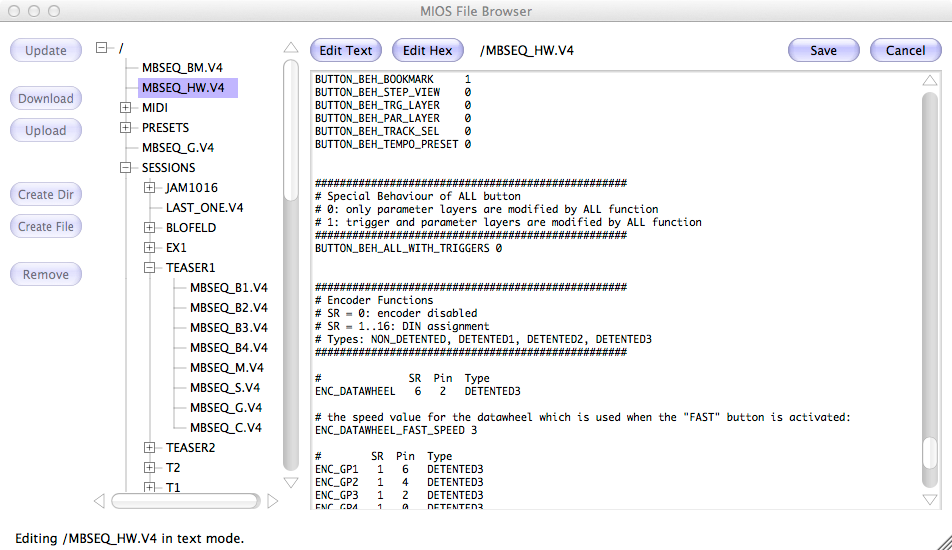
Btw.: I’m currently working on a new feature which will not only be useful for MIDIO128, but also for other MIOS32 applications which store files on a SD Card.
-> a filebrowser which communicates with the application via MIDI!
Advantages:
no need to switch to MSD mode anymore, files can be transfered on-the-fly
pretty fast communication (in the example above, a 2 MB file has been received with ca. 50 kb/s!)
a text and hex editor will be integrated as well, which means that configuration files can be directly modified in MIOS Studio
@jjonas: could you please send me your .mid file in a zip package via PM?
I couldn’t find how to attach files to PMs, there was no attachments section in the (full) editor like the one you have when you write to public forums, so I attached it here..
MIDIO128 V3.011pre4
~~~~~~~~~~~~~~~~~~~

o USB device settings have been changed.
IMPORTANT: please install MIOS32 Bootloader V1.009 before uploading
the application! Otherwise code upload via USB won't work anymore!
(Backup: upload via MIDI IN1/OUT1)

o 4 USB ports are enabled now.
Note: if your operating system still displays only a single MIDI port for USB,
then unplug the USB cable and remove the USB MIDI driver in your system setup,
so that the driver be installed again once the core module has been re-connected.
E.g. under MacOS this can be done with the Audio-MIDI Setup application
(search for "Audio" in Spotlight)

o 4 MIDI IN/OUT ports are enabled now.
Pin mapping for LPC17 (see also http://www.ucapps.de/mbhp/mbhp_core_lpc17_midi3_midi4_extension.pdf):
- MIDI OUT3 is available at J5B.A7
- MIDI IN3 is available at J5B.A6
- MIDI OUT4 is available at J4B.SD
- MIDI IN4 is available at J4B.SC

since MIDI IN3/OUT3 allocate analog input pins, AIN Pin #6 and #7 is
not available anymore!

o support for MIOS Filebrowser, which will be part of MIOS Studio 2.4

o fixed FFwd/FRwd function

o song not set back to 1.1 if song position was changed while
sequencer was paused
[/code]


Enabling all 4 MIDI IN/OUT ports will be a test, if anybody really uses AIN Pin #6 or #7 ;-)


http://discourse.midibox.org/t/topic/17108


Best Regards, Thorsten.
FYI - Well I know I did something bad but was able to recover from it using the Midi In1/Out1. After loading the V1.009 bootloader over the USB cable, I powered my Midio128 unit off and then on again before loading the new application. Just warning you guys, DO NOT do this unless you have a backup plan. It gives me the message “Bootloader is up-to-date!†on the display but the USB connection doesn’t work any more. I went to the backup plan using Midi In1/Out1 but had some problems getting MIOS Studio to recognize my USB->Midi converter box. Its a “CakeWalk Music Connector 1†with the advanced driver switch set to the OFF position. Even when I tried doing the “Rescan MIDI Devices†function and reselecting the MIDI IN and MIDI OUT windows on MIOS Studio, it still didn’t work. Had to close the application down and bring it up again to get it to work. I’ve had this very issue happen before and the only solution is to close and reopen MIOS Studio.
Since I now have V1.009 bootloader and the V3.011pre software, its having problems communicating with my MIOS Studio 2.3.1. I am running on Windows 7 and you talked about deleting the drivers on the PC. Where do I go to delete them? I don’t know if this will fix my problem or not. I did notice that the first Midibox ID is called Midio128 while the other 3 are called MIDIIN2 MIDIIN3 and MIDIIN4.
I updated to bootloader 1.009 last night and then uploaded pre4 (all via USB), and for me it went fine (I was using MIOS studio 2.3.0. on Wine on Ubuntu). I tested the FF/Rew function and song position after pausing, and they work for me now. Also you can now see the song position when you’re FFing/rewinding. Super!
As a separate matter, just bouncing off kpete’s comment, not necessarily responding to him: I have two USB-midi cables, one of them is a Cakewalk one, and I’ve have problems with it, whether “advanced” switch is on or not - not only with LPC17 core but also the PIC based core (with MBSIDv2). What did work (and what I’ve been using since) was a few euro cheapo cable that I bought later on eBay. That has been my answer to USB-midi communication with midiboxes ever since